EducationSoftwareStrategy.com
StrategyCommunity

Knowledge Base

Product

Community

Knowledge Base

TopicsBrowse ArticlesDeveloper Zone

Product

Download SoftwareProduct DocumentationSecurity Hub

Education

Tutorial VideosSolution GalleryEducation courses

Community

GuidelinesGrandmastersEvents
x_social-icon_white.svglinkedin_social-icon_white.svg
Strategy logoCommunity

© Strategy Inc. All Rights Reserved.

LegalTerms of UsePrivacy Policy
  1. Home
  2. Topics

KB483725: Users are unable to republish cubes created from Excel files with columns whose names are numeric in Web


Qiuyun Wu

Software Engineer • MicroStrategy


Sometimes users are unable to republish cubes created from Excel files with columns whose names are numeric in Web. This article provides a solution and an explanation of this defect.

Description


Users are unable to republish cubes created from Excel files with columns whose names are numeric in Web.
Steps to reproduce

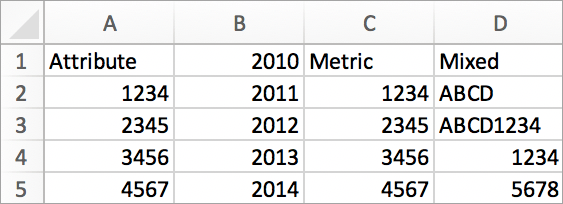
  • Create an Excel sheet with a column with a numeric name.
ka02R000000g3LLQAY_0EM2R000000mOGz.jpeg
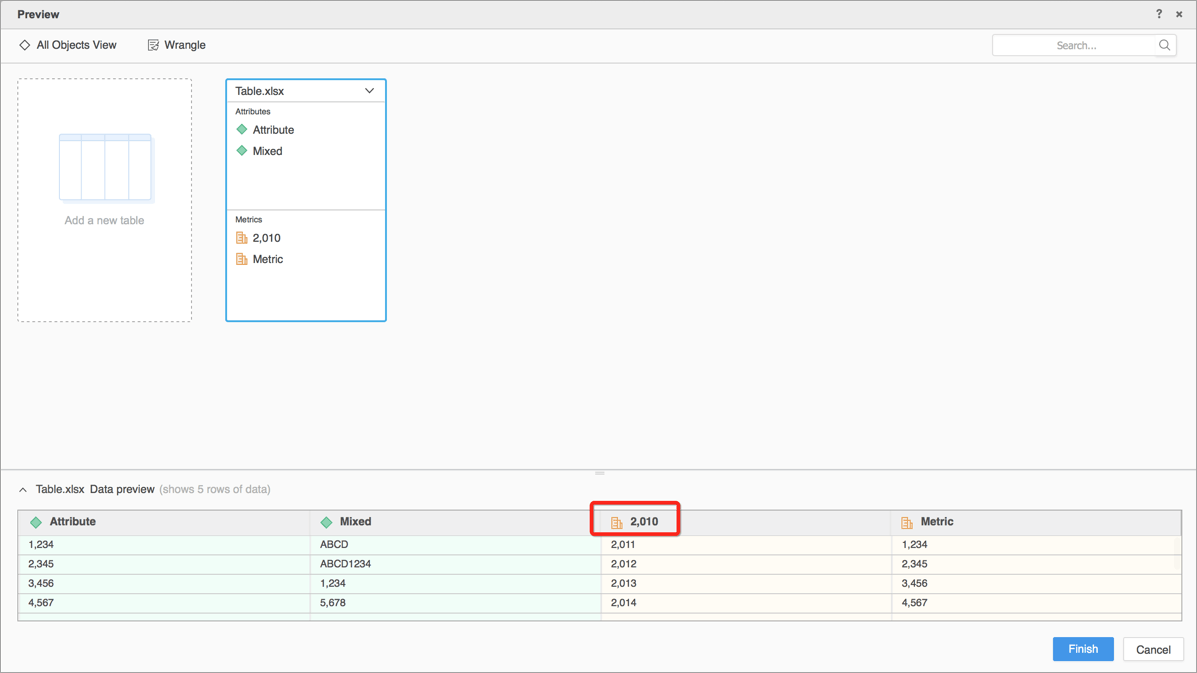
  • Import the file through Strategy Web earlier than Strategy 2020 RC or Strategy 2019 Update 4. Column name such as "2010" in Excel becomes "2,010" in the preview page.
ka02R000000g3LLQAY_0EM2R000000mOH4.jpeg
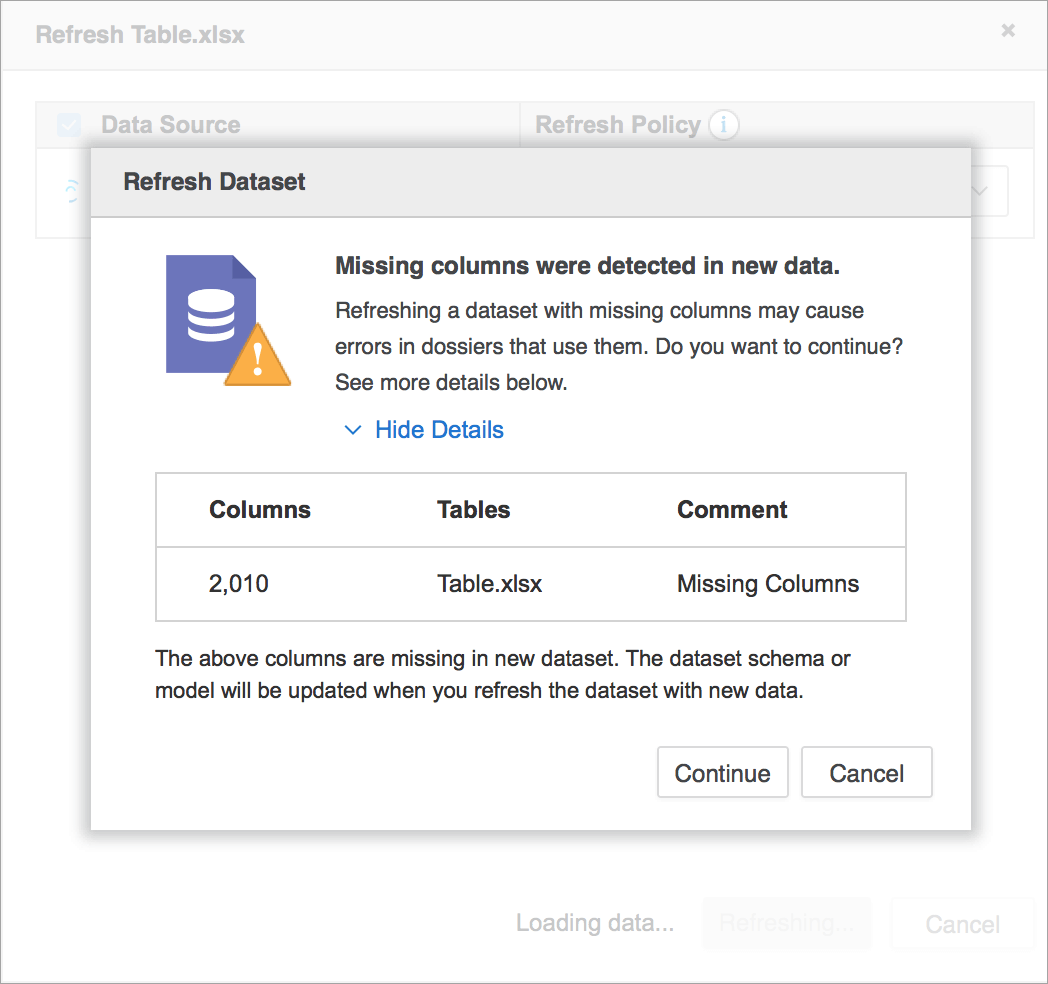
  •  After upgrading Strategy Web to Strategy 2020 RC or Strategy 2019 Update 4 or later, and republishing the cube, there is an error: Missing columns were detected in new data.
ka02R000000g3LLQAY_0EM2R000000mOH9.jpeg

Why is this happening?

If an attribute contains some elements that are numeric and some elements that have other characters, commas are added to mark the thousands spot in the numbers automatically.

Solution


After the fix, if you publish or republish the cube with same Excel file, the unexpected commas are removed. But as this fix will also work on column names, cubes with numeric column names might not be republished successfully after you update to versions after Strategy 2020 RC or Strategy 2019 Update 4.

  1. Edit the cube.
  2. Edit the table whose columns are missing.
  3. Refresh the table.
  4. Update dataset or republish cube.

Related Knowledge

KB221153: Thousand commas separators are automatically added to numeric attribute elements through Data Import in MicroStrategy Web 9.4.1.


Comment

0 comments

Details

Knowledge Article

Published:

October 14, 2019

Last Updated:

October 14, 2019