Starting with the release of Strategy ONE (March 2024), dossiers are also known as dashboards.
Description
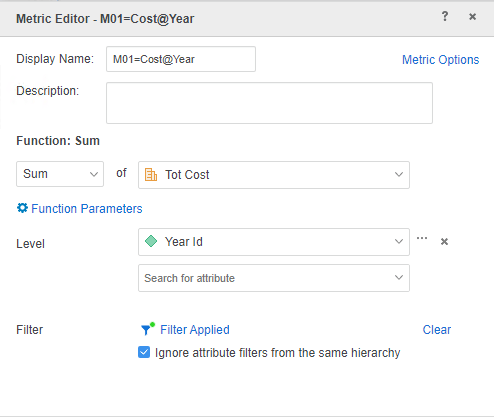
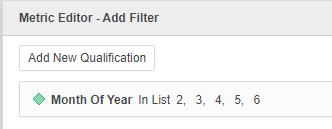
The dossier execution failed due to the aggregation function missing in the Query in Strategy 2019 with Data Engine Version 2019. The dossier contains a Conditional Metric in which the Filter attribute is not on the visualization, and there are multiple datasets in the dossier.
The failure is fixed in Strategy 2020 with Data Engine Version 2019 in KB484037, but it returns incorrect data.
Steps to reproduce
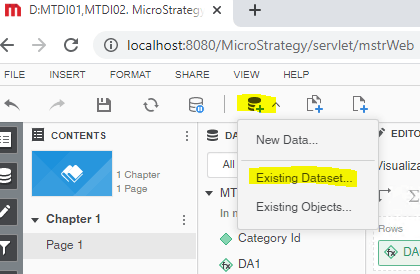
This procedure is using Strategy Tutorial WH that is shipped with Strategy products.
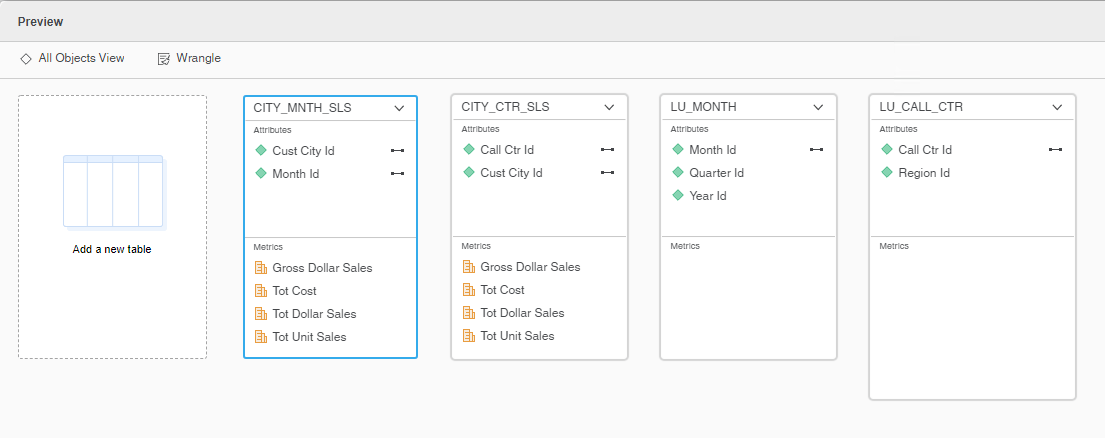
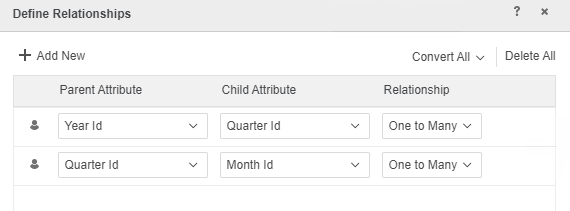
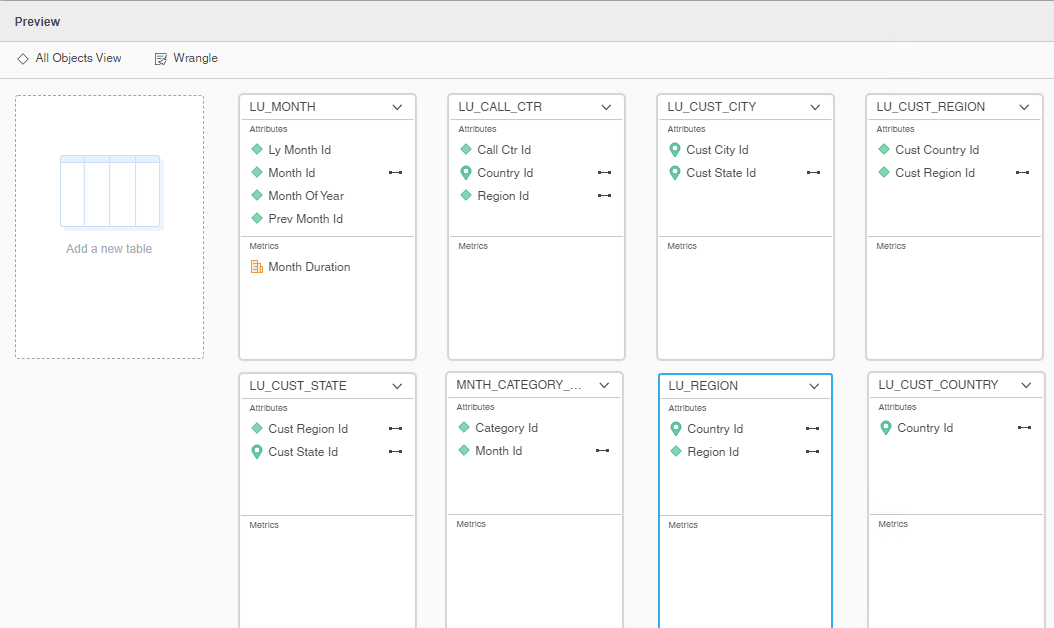
LU_MONTH: Prev Month Id -> Ly Month Id, Month Id -> Ly Month Id, Month Of Year -> Month Id
LU_CALL_CTR: Region Id -> Call Ctr Id, Country Id -> Region Id
LU_CUST_CITY: Cust State Id -> Cust City Id
LU_CUST_REGION: Cust Country Id -> Cust Region Id
LU_CUST_STATE: Cust Region Id -> Cust State Id
LU_REGION: Country Id -> Region Id
Tables Accessed:
Table6 [REL_QUARTER_ID_MONTH_ID]: Quarter Id, Month Id, RELATIONSHIP_TABLE, ONE_TO_MANY
Table7 [REL_YEAR_ID_QUARTER_ID]: Year Id, Quarter Id, RELATIONSHIP_TABLE, ONE_TO_MANY
Table9 [F_CITY_MNTH_SLSF9F6C86316982BA39571891511144739]: Month Id, Cust City Id, Tot Cost, Tot Dollar Sales, Row Count - CITY_MNTH_SLS, Tot Unit Sales, Gross Dollar Sales, FACT_TABLE
Table10 [F_CITY_CTR_SLSF9F6C86316982BA39586820111213613]: Call Ctr Id, Cust City Id, Tot Cost, Tot Dollar Sales, Row Count - CITY_CTR_SLS, Tot Unit Sales, Gross Dollar Sales, FACT_TABLE
select [Month Id]@[MONTH_ID],
[Year Id]@[YEAR_ID],
[Cust City Id]@[CUST_CITY_ID],
[[F_CITY_CTR_SLSF9F6C86316982BA39586820111213613].Tot Cost] as [Tot Cost]
from C01=CITY_MNTH_SLS CITY_CTR_SLS LU_MONTH LU_CALL_CTR (4 tables)
with Table Join Tree: [F_CITY_CTR_SLSF9F6C86316982BA39586820111213613]<<Cust City Id> in (Ex1_tempcube1)>
Join ([F_CITY_MNTH_SLSF9F6C86316982BA39571891511144739]<<Month Id> in (Ex1_tempcube0)>
Join [REL_QUARTER_ID_MONTH_ID] with output level Tuple([Cust City Id]@[CUST_CITY_ID], [Month Id]@[MONTH_ID], [Quarter Id]@[QUARTER_ID])
Join [REL_YEAR_ID_QUARTER_ID] with output level Tuple([Cust City Id]@[CUST_CITY_ID], [Month Id]@[MONTH_ID], [Year Id]@[YEAR_ID])) with output level Tuple([Call Ctr Id]@[CALL_CTR_ID], [Cust City Id]@[CUST_CITY_ID], [Month Id]@[MONTH_ID], [Year Id]@[YEAR_ID])
to Ex1_tempcube5
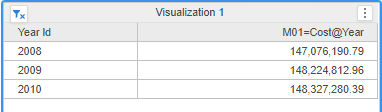
Tables Accessed:
Table6 [REL_QUARTER_ID_MONTH_ID]: Quarter Id, Month Id, RELATIONSHIP_TABLE, ONE_TO_MANY
Table7 [REL_YEAR_ID_QUARTER_ID]: Year Id, Quarter Id, RELATIONSHIP_TABLE, ONE_TO_MANY
Table9 [F_CITY_MNTH_SLSF9F6C86316982BA39571891511144739]: Month Id, Cust City Id, Tot Cost, Tot Dollar Sales, Row Count - CITY_MNTH_SLS, Tot Unit Sales, Gross Dollar Sales, FACT_TABLE
Table10 [F_CITY_CTR_SLSF9F6C86316982BA39586820111213613]: Call Ctr Id, Cust City Id, Tot Cost, Tot Dollar Sales, Row Count - CITY_CTR_SLS, Tot Unit Sales, Gross Dollar Sales, FACT_TABLE
Alternative CSI:
select [Cust City Id]@[CUST_CITY_ID],
sum([[F_CITY_CTR_SLSF9F6C86316982BA39586820111213613].Tot Cost])@{[Cust City Id]} as [Tot Cost]
with Table Join Tree: [F_CITY_CTR_SLSF9F6C86316982BA39586820111213613]<<Cust City Id> in (Ex1_tempcube1)>
Save As TempTable10000
select [Month Id]@[MONTH_ID],
[Year Id]@[YEAR_ID],
sum([Table10000.Tot Cost])@{[Month Id]} as [Tot Cost]
with Table Join Tree: TempTable10000
Join ([F_CITY_MNTH_SLSF9F6C86316982BA39571891511144739]<<Month Id> in (Ex1_tempcube0)>
Join [REL_QUARTER_ID_MONTH_ID] with output level Tuple([Cust City Id]@[CUST_CITY_ID], [Month Id]@[MONTH_ID], [Quarter Id]@[QUARTER_ID])
Join [REL_YEAR_ID_QUARTER_ID] with output level Tuple([Cust City Id]@[CUST_CITY_ID], [Month Id]@[MONTH_ID], [Year Id]@[YEAR_ID])) with output level Tuple([Cust City Id]@[CUST_CITY_ID], [Month Id]@[MONTH_ID], [Year Id]@[YEAR_ID])
Cause:
This is a known issue with “Data Engine Version” set to 2019.
Solution:
This issue has been addressed in Strategy 2020.
To pick up the fix, upgrade to Strategy 2020 or above and enable project level setting "Data Engine Version" to 2020 or above. For more details on enabling the setting, refer to Change Data Engine Version
After the fix, the data is the same as Strategy 10.4.
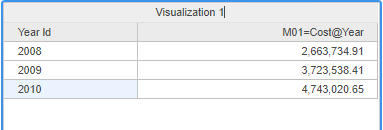
Check the Query Detail, now it uses correct Fact Table(F_CITY_MNTH_SLS) to calculate the metric.
Tables Accessed:
Table6 [REL_QUARTER_ID_MONTH_ID]: Quarter Id, Month Id, RELATIONSHIP_TABLE, ONE_TO_MANY
Table7 [REL_YEAR_ID_QUARTER_ID]: Year Id, Quarter Id, RELATIONSHIP_TABLE, ONE_TO_MANY
Table9 [F_CITY_MNTH_SLSF9F6C86316982BA39571891511144739]: Month Id, Cust City Id, Tot Cost, Tot Dollar Sales, Row Count - CITY_MNTH_SLS, Tot Unit Sales, Gross Dollar Sales, FACT_TABLE
select [Month Id]@[MONTH_ID],
[Year Id]@[YEAR_ID],
sum([[F_CITY_MNTH_SLSF9F6C86316982BA39571891511144739].Tot Cost])@{[Month Id]} as [Tot Cost]
from C01=CITY_MNTH_SLS CITY_CTR_SLS LU_MONTH LU_CALL_CTR (4 tables)
with Table Join Tree: [F_CITY_MNTH_SLSF9F6C86316982BA39571891511144739]<(<Month Id> in (Ex1_tempcube0)
and <Cust City Id> in (Ex1_tempcube1))>
Join [REL_QUARTER_ID_MONTH_ID] with output level Tuple([Cust City Id]@[CUST_CITY_ID], [Month Id]@[MONTH_ID], [Quarter Id]@[QUARTER_ID])
Join [REL_YEAR_ID_QUARTER_ID] with output level Tuple([Cust City Id]@[CUST_CITY_ID], [Month Id]@[MONTH_ID], [Year Id]@[YEAR_ID])
to Ex1_tempcube5
Strategy internal reference number for this technical note is DE131252.
