The SQL changes can be observed when the following conditions are met:
When the conditions are met, you can notice the following changes.
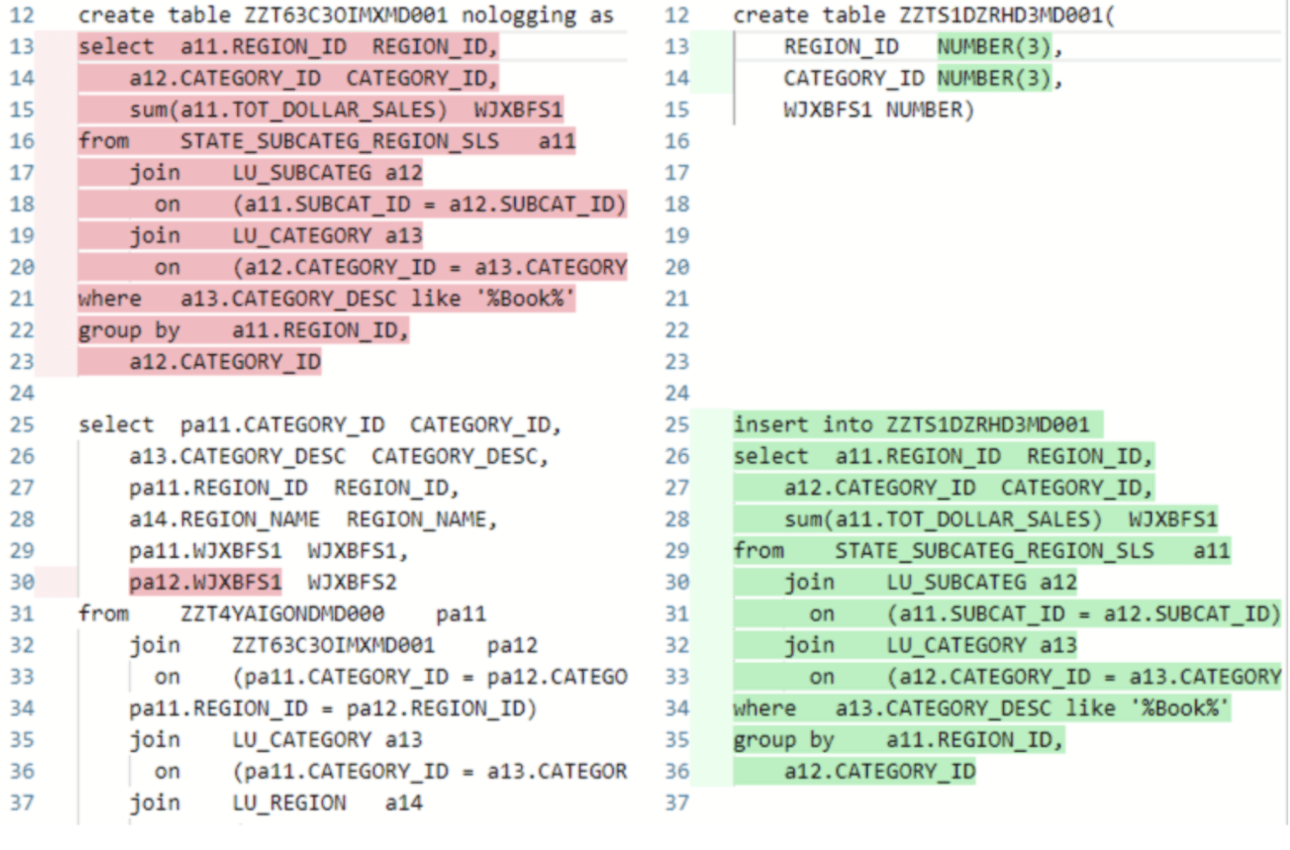
For example, take the Oracle syntax, where previously, the SQL on the left uses an implicit table creation syntax of “
create table [table name] nologging as select [columns] from … where [with a text filtering condition],” in which we create the table at the same time of inserting data into it. Now, the new query, on the right, uses an explicit table creation syntax, which separates the SQL into two parts. In the first part, the table is created, and in the second part, data is inserted with a text filter.
This change is to support our new feature, secure text input through parameterized queries. Some databases, like Oracle, will only support parameterized queries with explicit table creation . To prevent execution failure, the engine converts all implicitly created temp tables into explicitly created tables, whenever a text condition (text filter, prompt, search, etc.) is used.
Although the explicit table creation is to prevent failure when the text filter is parameterized, the engine uses explicit table creation when the parameterized queries are not turned on.
In general, there is no action needed since the SQL change is expected, and data change and performance degradation are not expected.
However, in certain corner cases where this change may be a suspect for performance degradation, administrators can change the following settings to confirm:
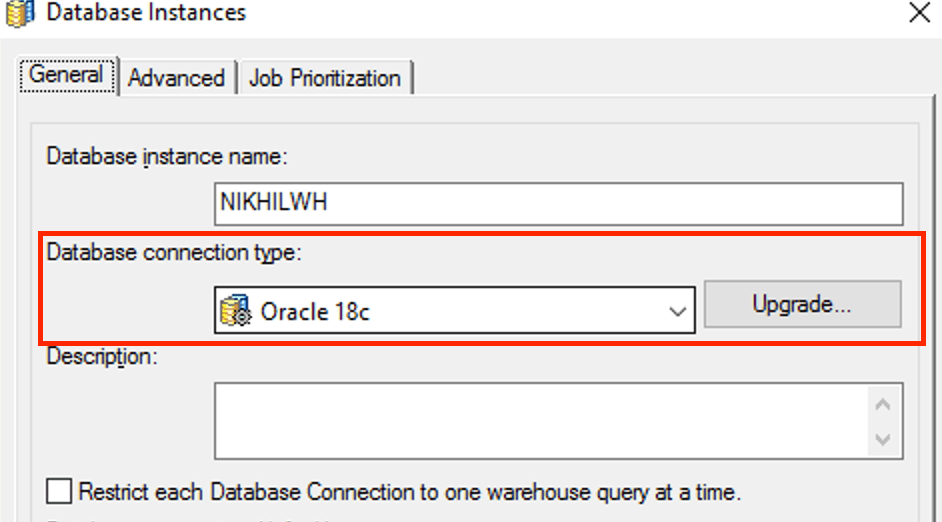
DATABASE.PDSfile on the Windows machine on which you are running Developer. Before making any changes to this file, make sure you save a copy.
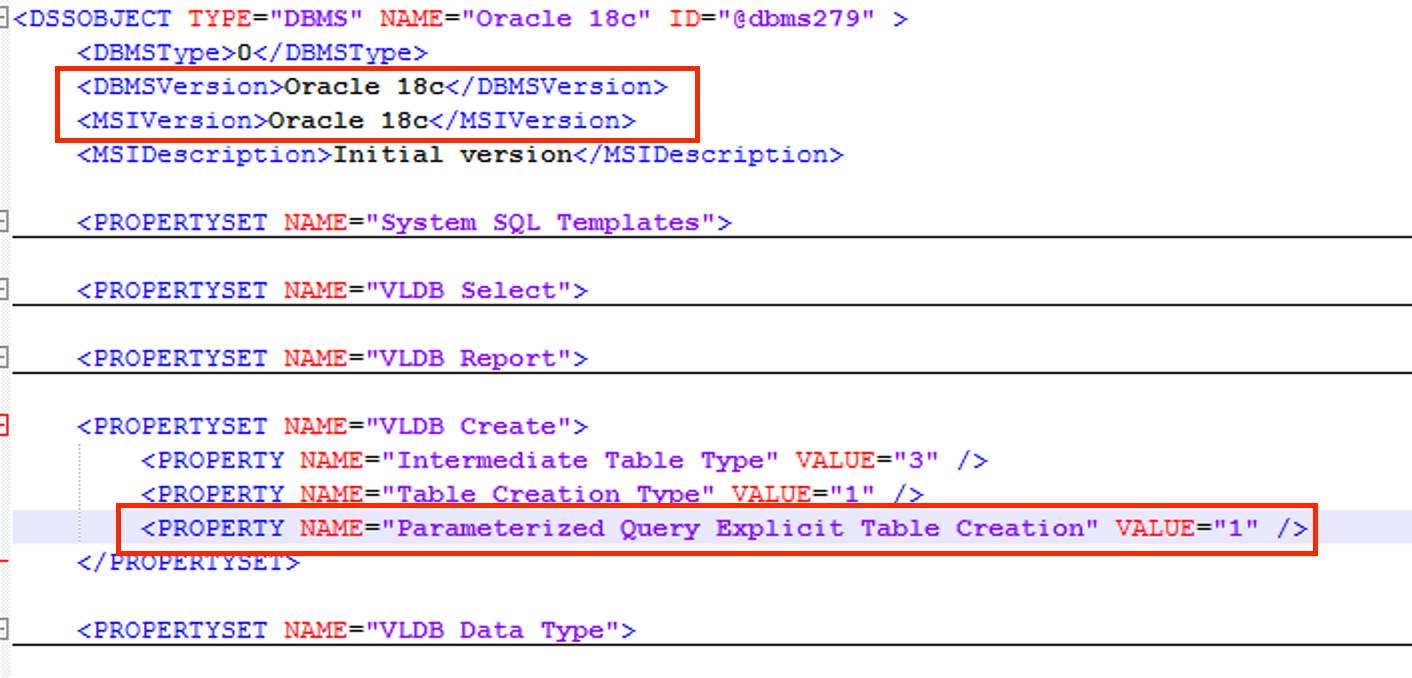
VLDB Create, find
<PROPERTY NAME="Parameterized Query Explicit Table Creation" VALUE="1" />. Change the
VALUE="1"to
VALUE="0", and save the file.
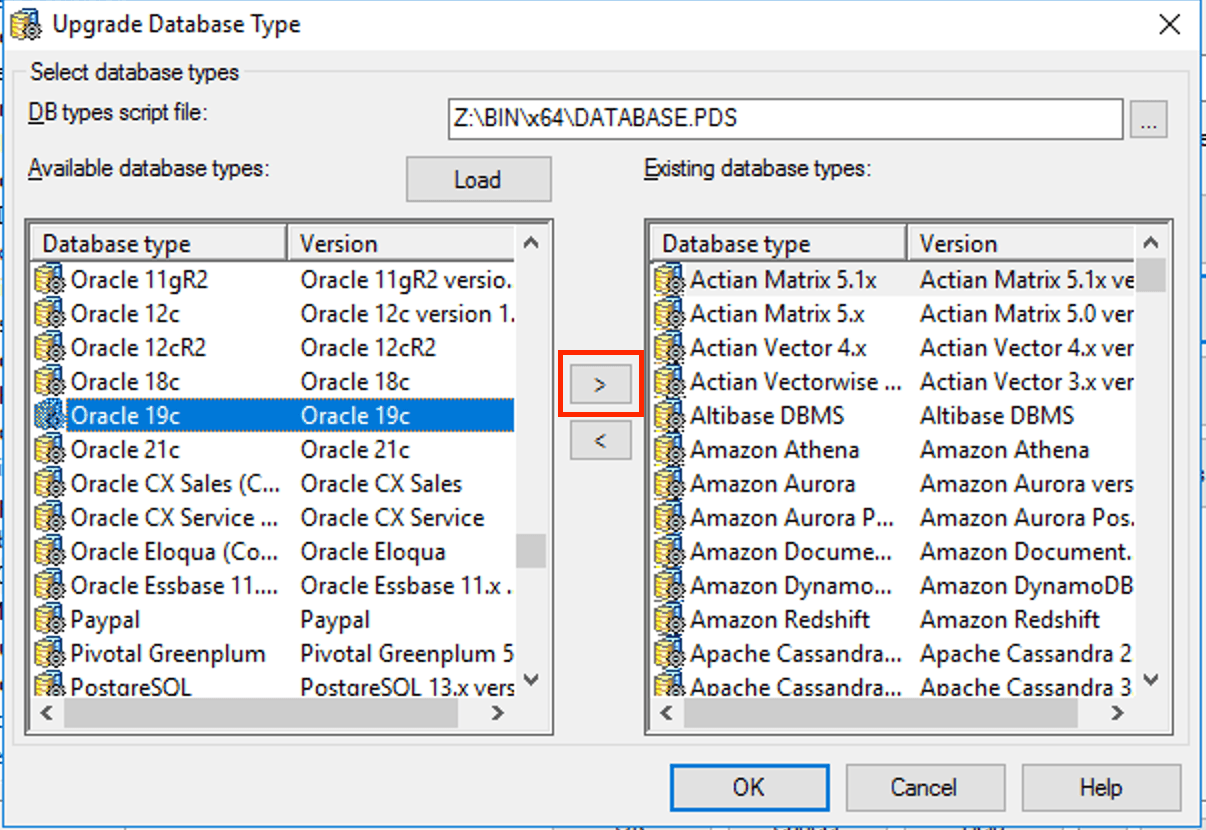
Now if you rerun the report, the queries generated should be the same as before the upgrade.
Strategy Internal Reference number for this technical note is KB484902 and US343190.
