Starting with the release of Strategy ONE (March 2024), dossiers are also known as dashboards.
In Strategy 2021 we introduced Secure text input through parameterized queries after the feature Secure Freeform SQL Text Prompts. In both features, we only allowed the option to be set at the Database level. Now we are exposing this option to the report level, so users can choose to disable the parameterized query for a specific report, cube, or datamart.
There are some situations when parameterized queries hold more restricted rules for our input data so turning parameterized query ON will cause some perceived regression on customer's existing objects. For example, if the parameter length exceeds the column length, an error will return when the report is running with Parameterized Query, but will not when running without. Other examples could be driver related parameterization issues where Strategy is still working with the driver vendors to resolve them in future update releases. We highly suggest to use only the report level setting to mitigate such issues and leaving the connection parameterization setting ON to get the best of such security enhancement.
Take a normal report for example, in the Developer, go to Data -> VLDB Properties...

Under Tools make sure "Show Advanced Settings" is checked

Under "Query Optimization", you should find "Parameterized Query Options"
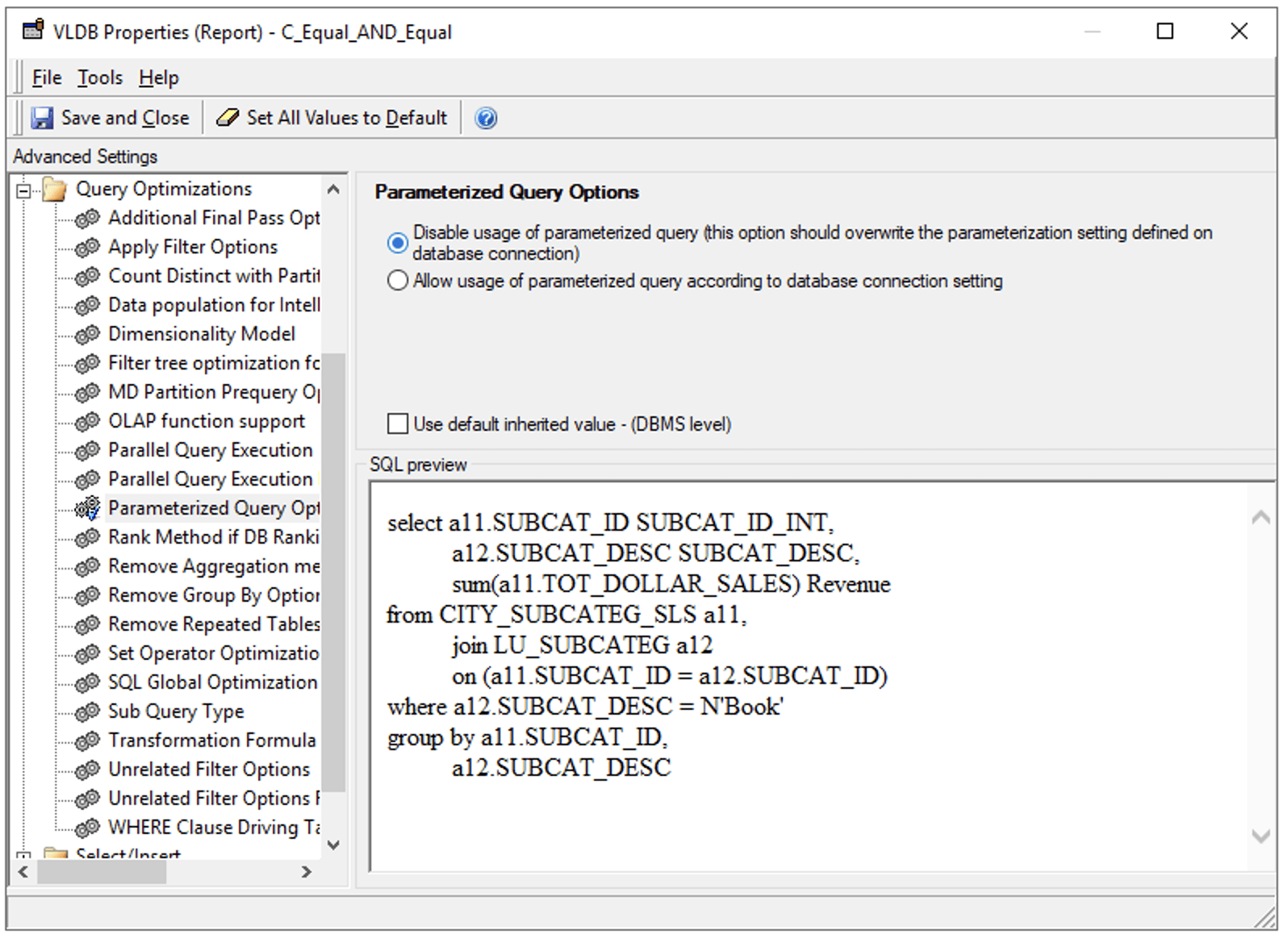
This option can be used to disable Parameterized queries at the report level.
This option is not available for dossiers built with live MTDI cube. If a live dossier uses text filters and is parameterized, users can only turn it off by disabling parameterized query at the Database Connection used by the live cube.
