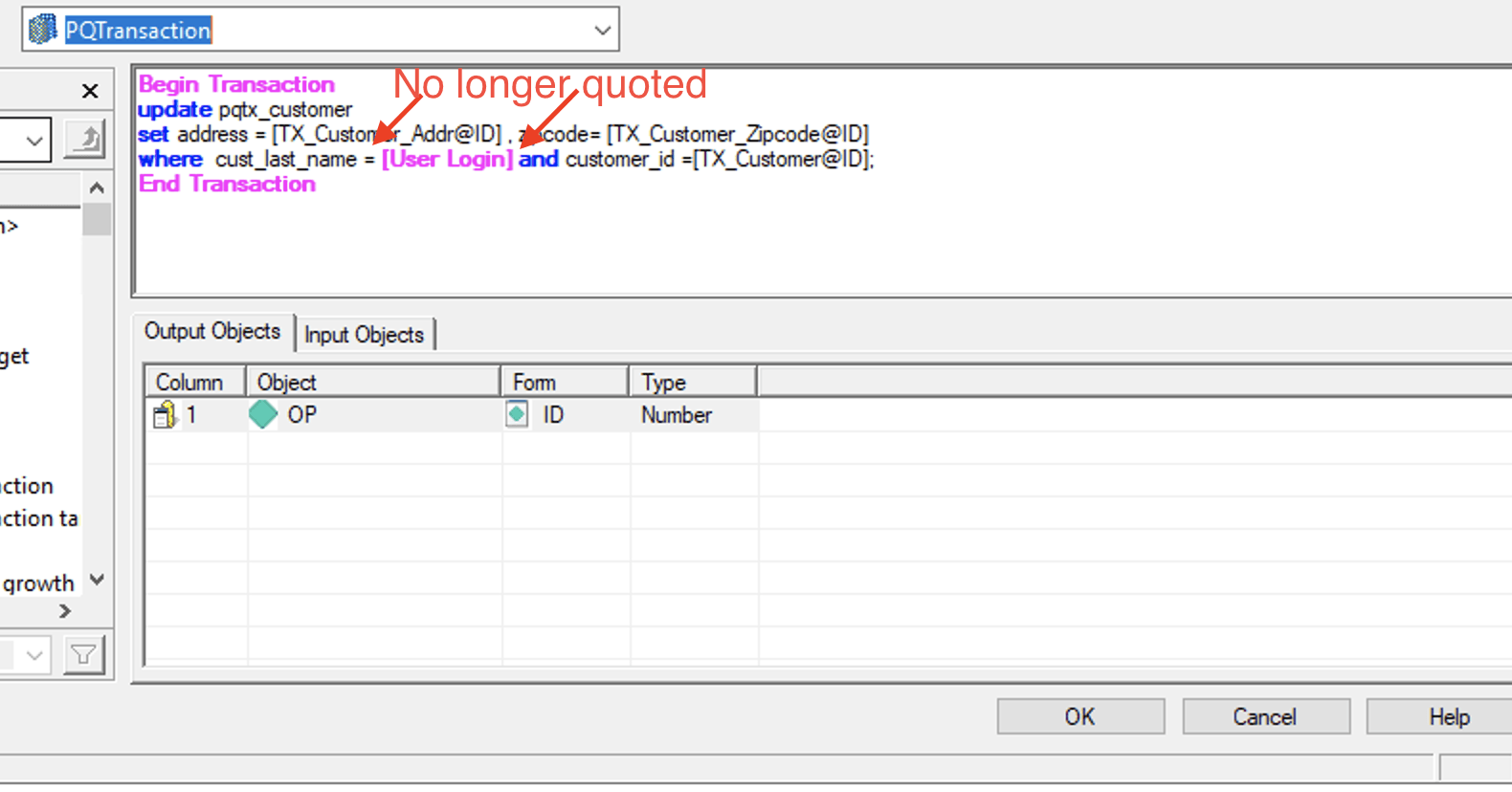
Transaction report is one type of Freeform SQL Report. Compared to the standard Freeform SQL Report which can use all kinds of Prompts, transaction reports can only use System Prompt. The most used System Prompt being "User Login" is a Text Prompt.
With our newly introduced Parameterized Queries for Transaction Service feature, as long as the DBMS is certified to use Parameterized for transactions, and Parameterized Queries are enabled in the DB connection, our transactions queries will now become parameterized.
With Parameterized Queries, users need to remove the single quotes surrounding any Text Prompt, in order for the Freeform SQL Report to be executed successfully.
More details can be found here: KB483609: FreeForm SQL that contains text Prompt: Parameterized vs non-Parameterized
This issue may happen without a full MD upgrade in Strategy 2021 Update 4. For more details on which Gateway will be affected, please see this: KB484512: Secure text input through parameterized queries
A report designer has created a transaction report with a text System Prompt [User Login]. When the Parameterized Queries feature is not enabled or certified, the report designer needs to add a pair of single quotes surrounding the text System Prompt in order for it to work.
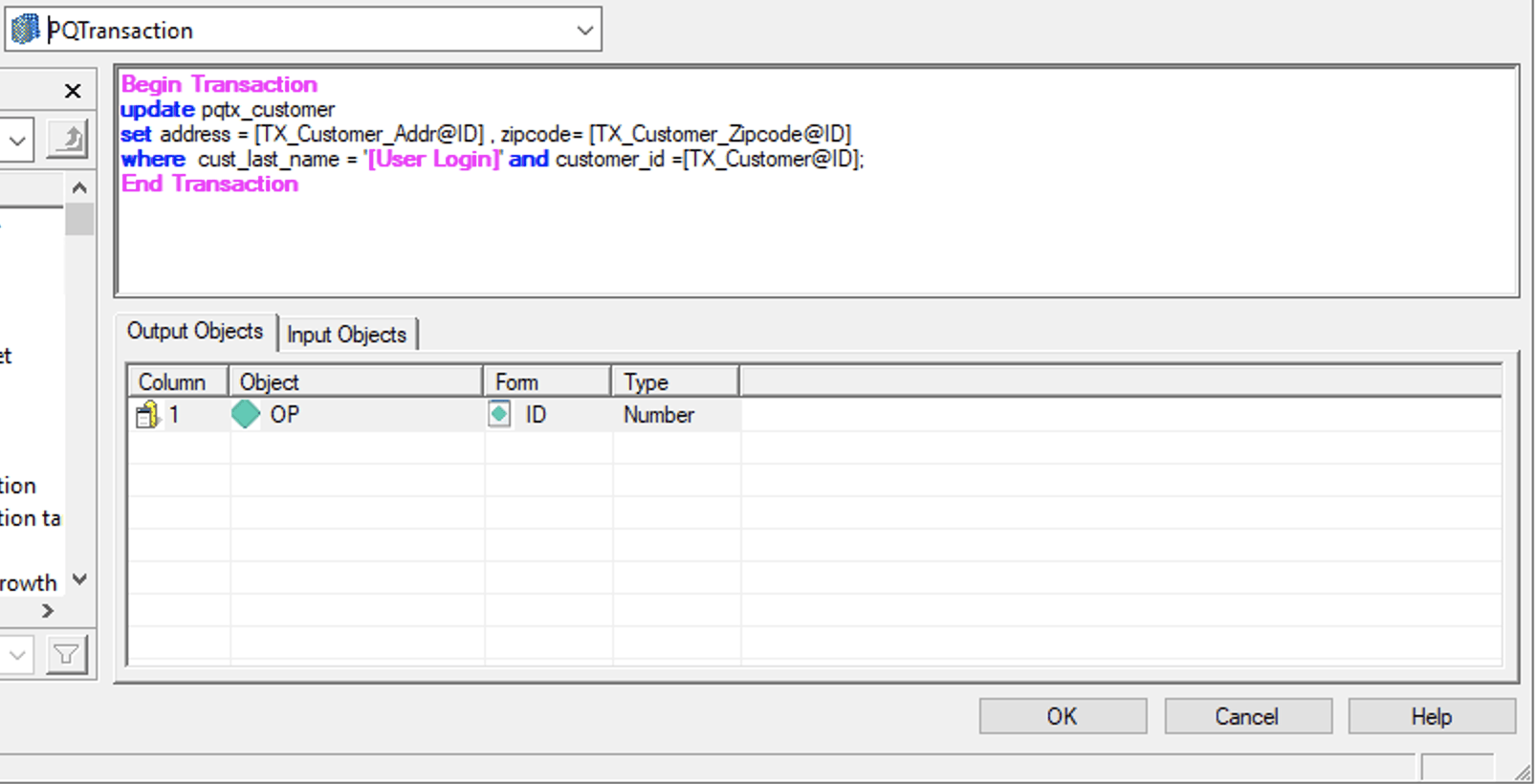
Now that the Parameterized Queries feature is enabled for the DB Connection and is certified for the type of DBMS used, with the original design, the Transaction Service may fail to some error similar to this:
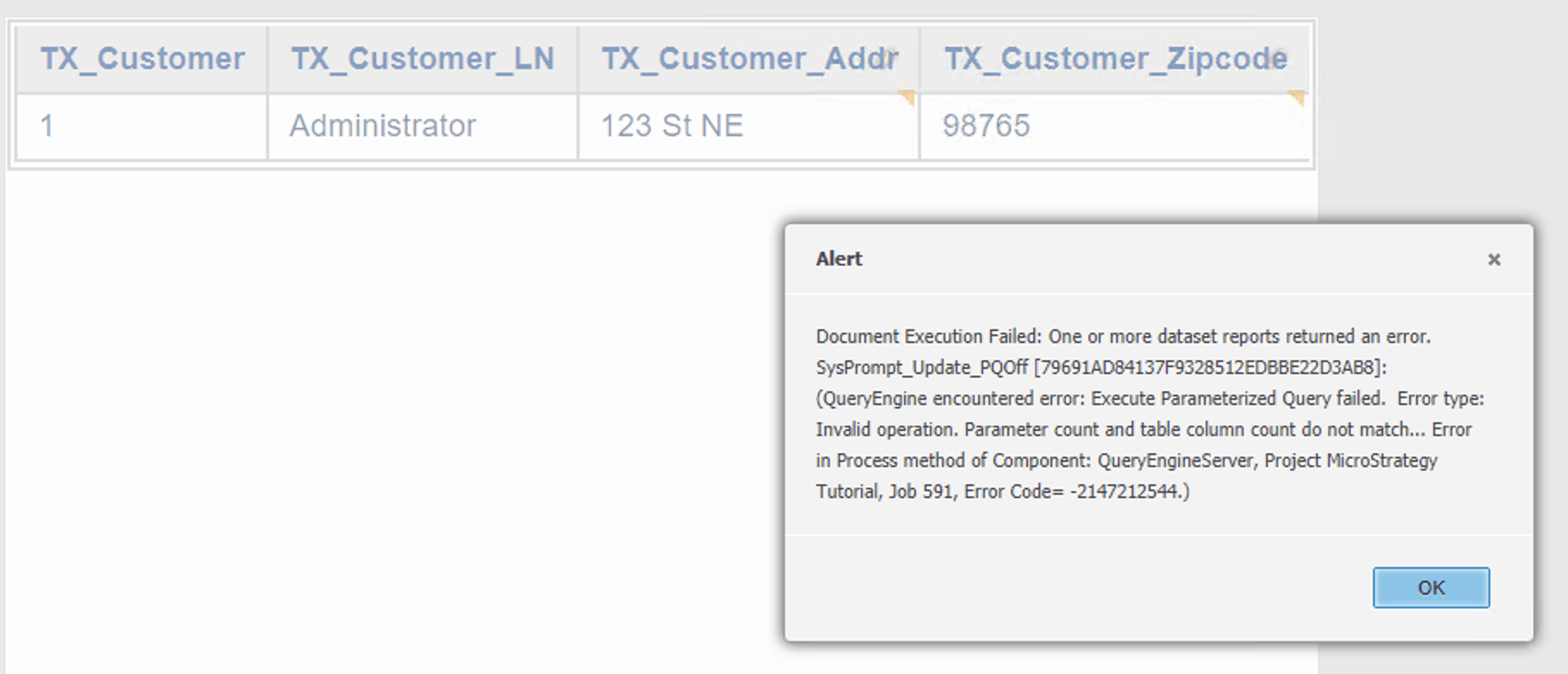
If users check the DSSError log, they will find entries like this:
2021-09-21 12:19:02.678-04:00 [HOST:tec-w-1020134][SERVER:T3664_tec-w-1020134_210903111949461_11636_0001_xxxxx][PID:12345][THR:21008][Database Classes][Error][UID:54F3D0000000000000009A8E67019608][SID:A7C8790209C0F18FDDD92CD5B056A7E7][OID:79691AD84137F9328512EDBBE22D3AB8][ConnectionKeeper.cpp:77] Execute Parameterized Query failed.
Error type: Invalid operation. Parameter count and table column count do not match.. Connection String: DSN=xxxxxxxx;UID=xxxxx;. SQL Statement:
update pqtx_customer
set address = ? , zipcode= ?
where  cust_last_name = '?' and customer_id =?;
.