When a user runs a report from Strategy Web or Web Universal, the results from the report are added to what is called the working set for that user’s session and stored in memory on Intelligence Server. The working set is a collection of messages that reference in-memory report instances. A message is added to the working set when a user executes a report or retrieves a message from his or her Inbox.
The purpose of the working set is to:
The settings involving Working Set are accessible via the Strategy Intelligence Server Configuration as shown below:
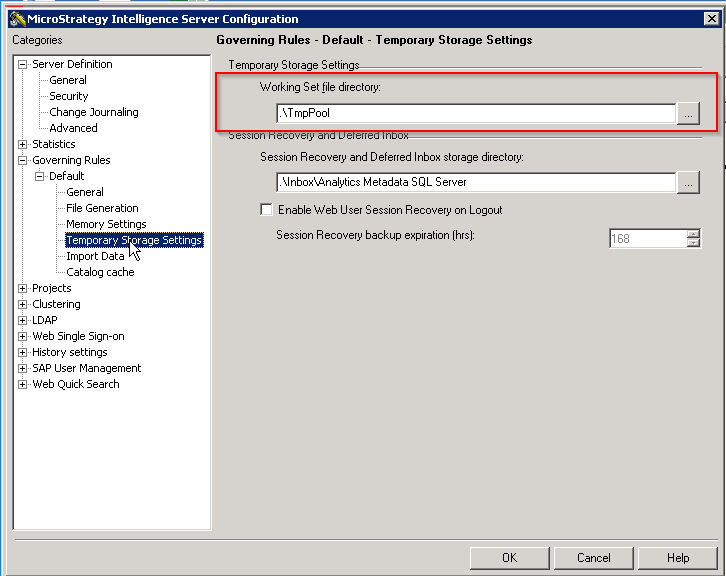
The 'Working Set file directory' is the location in the filesystem where the Report Instances may be persisted on disk. A report instance shall be persisted on disk in binary format if its size exceeds the limit set by the 'Maximum RAM for Working Set cache' governor or none of the report instances in memory can be swapped to make room for the new report instance. The persisted report instance will be persisted as the <filename(GUID)>.po and may be reused if the report is invoked again.
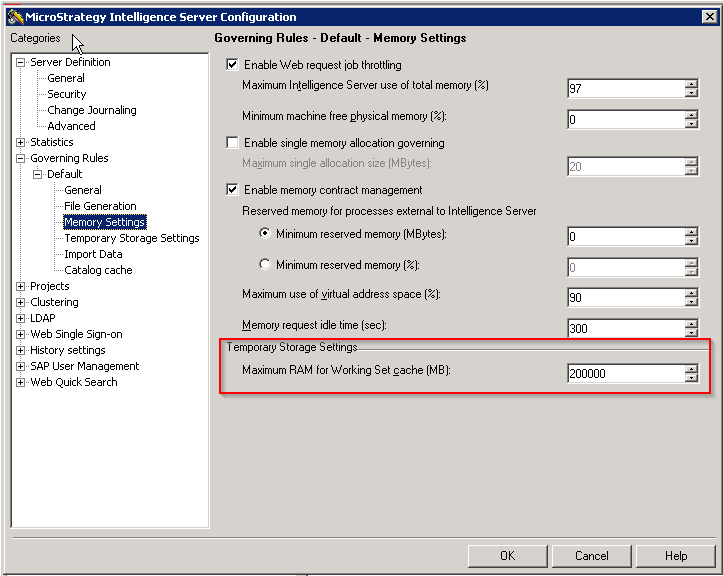
The 'Maximum RAM for Working Set cache' is the governor that modulates the size of the WorkingSet Result Pool. Depending on the version installed (as a best practice no higher than the 25% of the available RAM in the server), the Maximum working set RAM values to are is on the following list:
Note: If the value specified is higher then the machine's memory it uses the default of 200 MB.
If memory issues arise, as for example noted in Strategy Knowledge Base document below:
KB8621: “User request is completed. Maximum memory usage has been reached for existing objects." error message is received by users in MicroStrategy Web
The setting can be increased. Increasing this setting means that Strategy Intelligence Server may be operating with a higher average memory footprint during its lifecycle, so proper tuning may be needed if memory usage becomes an issue.
For more detailed explanation about how Report Instances created in the Working Set are accessed, please refer to:
KB10138: How are the concepts of Working Set, Working Set Result Pool, History List related to each other in MicroStrategy Intelligence Server?
Notes:
KB8617
