Submitted reports that return very large result sets can affect system performance. A limit to the number of reports being executed simultaneously can help in lowering the memory requirement on the Strategy Intelligence Server at a given time.
This document describes a method to restrict the simultaneous number of jobs each user can execute within a project, thereby reducing the load on the Strategy Intelligence Server.
This setting can be found under Project Configuration > Governing > Jobs, as shown below:
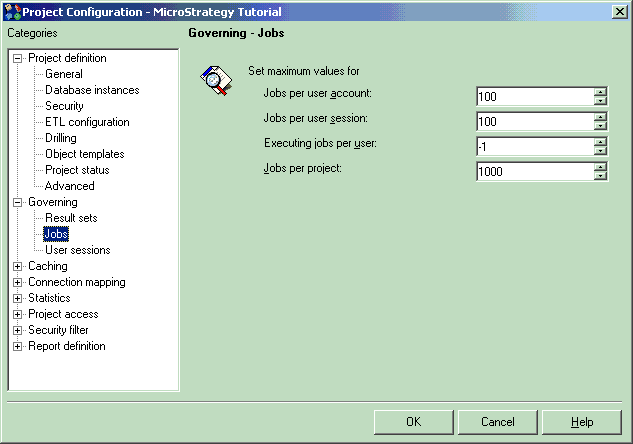
This setting is used to define the number of simultaneous jobs each user can execute within a project. The default value for this setting is -1, which indicates that no limit has been defined. A value of 0 functions the same way as the value -1. A positive non-zero number means that jobs exceeding this value will be placed in a queue.
For additional details on this setting, refer to the following Strategy Knowledge Base Document:
KB16072: How does the ’Executing jobs per user’ setting work in MicroStrategy Intelligence Server 9.x?
