SYMPTOM:
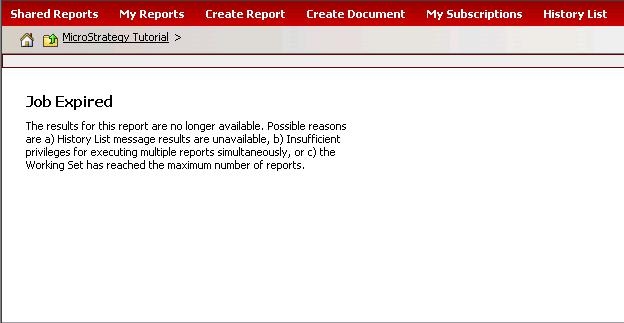
When executing a report from a history list, users receive the "Job Expired" error message, as shown below:
CAUSE:
The "Job Expired" error message appears when the history list cannot find the report cache from the Strategy Intelligence Server.
However, while the report cache is no longer available, users still can execute the report from the history list in case the report results are in the working set.
The working set is a collection of in-memory reports that are used by a given user-session. When a report execution or manipulation has completed, the results are added to a users working set. The purpose of the working set is to:
In the History List preferences, if the "Manually" option is selected in 'Add reports and documents to my History list', the number of the "working set" must be set to 3. The value of this property is passed to the Strategy Intelligence Server when creating each user session and is used to set the size of each user's "working set." This determines how many messages the Strategy Intelligence Server keeps "active" outside the History List. The default value is 3.
Note: These reports and documents are available for manipulation even if they are not saved to the History List in case the report results are in "working set".
ACTIONS:
Note: Strategy Intelligence Server governs the amount of memory that may be consumed by all active user sessions related to working sets. In the Strategy Intelligence Server Configuration, administrators can specify the location where users' active working sets are written to disk when they have been forced out of the pool of memory allocated for the Maximum RAM for working set cache:
KB8617: What is the 'Working Set' governor setting in Strategy Intelligence Server 9.4.x-10.x?
9369
