SYMPTOM:
The VLDB property "Attribute ID Constraint" is used during creation of intermediate tables to specify whether the attribute ID columns in those tables will or will not allow null values, or to use other constraints allowed in the warehouse's SQL implementation. Setting this property to "NOT NULL," as in the image below, should result in an intermediate table CREATE statement like the following:
create table ZZMD00 (
SUBCAT_ID BYTE NOT NULL,
EMP_ID LONG NOT NULL,
WJXBFS1 DOUBLE)
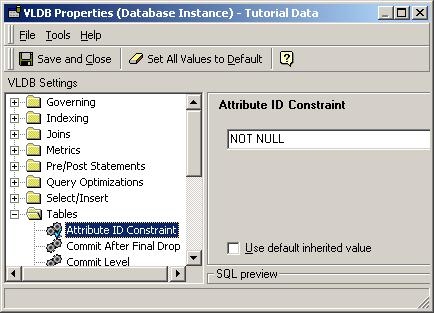
Under some circumstances, the Attribute ID Constraint property may be ignored, resulting in the following incorrect SQL:
create table ZZMD00 (
SUBCAT_ID BYTE,
EMP_ID LONG,
WJXBFS1 DOUBLE)
This behavior was observed against a DB2/390 warehouse, but it is possible that the issue could occur against any database platform.
CAUSE:
The definition for the warehouse's database connection type may have been loaded incorrectly, leading the Strategy SQL Engine to determine that the warehouse does not support NULL or NOT NULL constraints on table columns.
ACTION:
The database connection type must be refreshed. Perform the following steps, preferably using a 2-tier project source:

The Strategy Intelligence Server will continue to use the old, non-functioning database connection type, resulting in incorrect SQL for 3-tier and 4-tier users until the server is restarted.
For further information, refer to the following Strategy Knowledge Base document:
