SYMPTOM:
In Strategy License Manager 2021, “The user logged-in does not have privileges to audit” error occurs when trying to perform license audit as shown below:
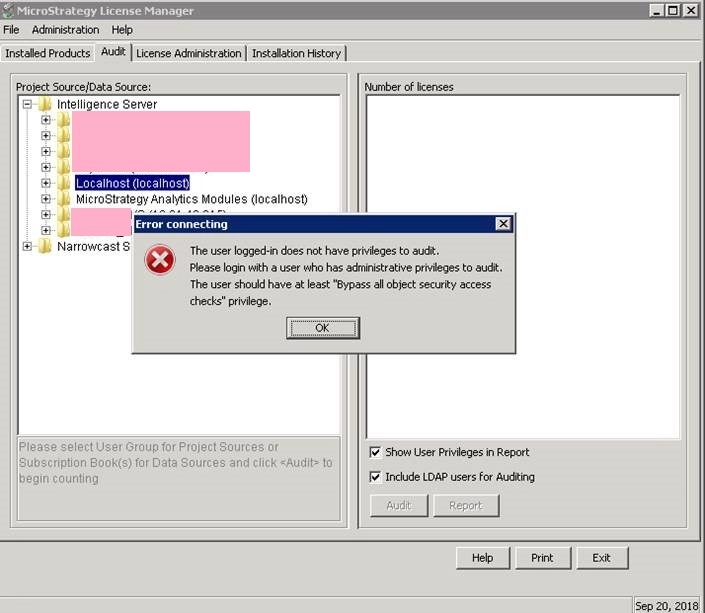
“The user logged-in does not have privileges to audit.
Please login with a user who has administrative privileges to audit.
The user should have at least “Bypass all object security access checks “privilege.
Refer to Technical Document below on how to perform license audit:
KB17921: How to perform a License Audit in MicroStrategy Intelligence Server 10.x through the MicroStrategy License Manager
CAUSE:
“Bypass all object security access check” privilege is the only privilege needed to assign and revoke license audit.
With this privilege, user has full control over all objects regardless of the object access permissions granted to the user and grant or revoke the Bypass All Object Security Access Checks privilege to other users.
“Bypass all object security access check” privilege is not checked though all other Administration privileges are enabled as shown below:

ACTION:
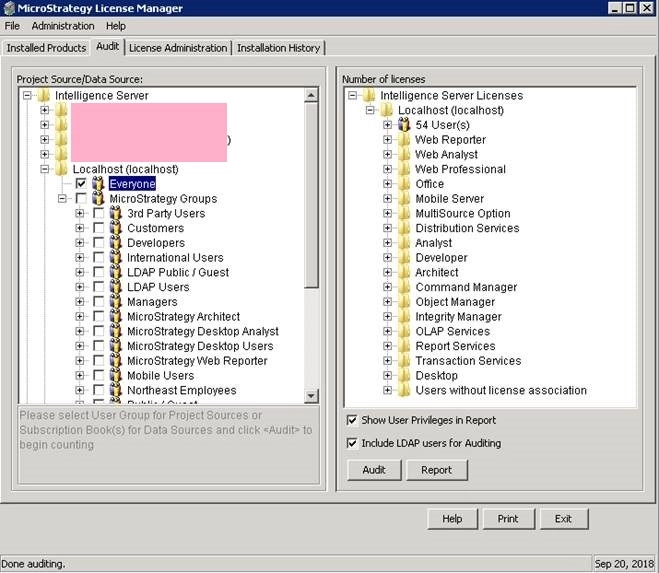
Check “Bypass all object security access check” privilege in the user editor, and the user can do license audit as shown below:
Article Reference Number: KB441875
