EducationSoftwareStrategy.com
StrategyCommunity

Knowledge Base

Product

Community

Knowledge Base

TopicsBrowse ArticlesDeveloper Zone

Product

Download SoftwareProduct DocumentationSecurity Hub

Education

Tutorial VideosSolution GalleryEducation courses

Community

GuidelinesGrandmastersEvents
x_social-icon_white.svglinkedin_social-icon_white.svg
Strategy logoCommunity

© Strategy Inc. All Rights Reserved.

LegalTerms of UsePrivacy Policy
  1. Home
  2. Topics

KB486138: “Visualization type Map (ESRI) is blank on a particular Web browser, and on Browser Developer tools the message WEBGL is required but not supported.’’


Rainiero Leon

Support Engineer • MicroStrategy


This article describes the reasons behind an (ESRI) Map visualization not being displayed on some browsers due to the absence of a JavaScript API for rendering interactive 2D and 3D graphics, which is called Web Graphics Library (WebGL) and how to troubleshoot this issue.

Starting with the release of Strategy ONE (March 2024), dossiers are also known as dashboards.

Symptom


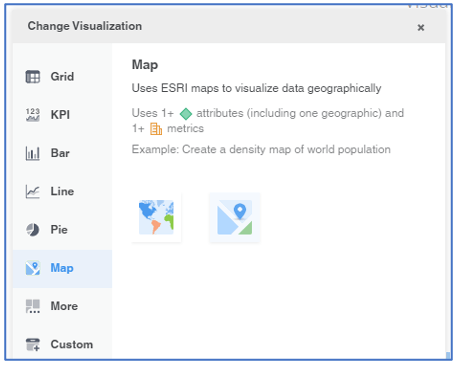
When creating a new Dossier on Library, a Map (ESRI) visualization is shown blank.
ka0PW0000001JmnYAE_0EM4W000005b57X.jpeg

Cause


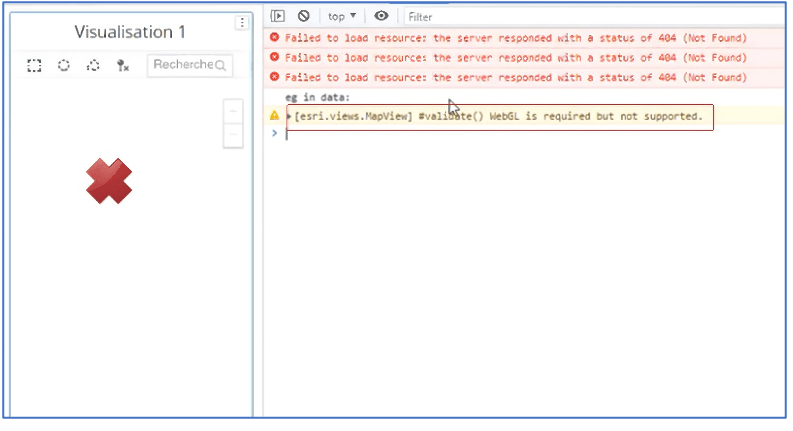
To determine the root cause, the Browser Developer console can be used. Based on the browser, the following links can be used to access this tool:

  • Chrome: Open Chrome DevTools
  • Firefox: Firefox DevTools User Docs
  • Edge: Overview of DevTools


If the following message can be seen: (esri.views.MapView) #validate () WebGL is required but not supported.
ka0PW0000001JmnYAE_0EM4W000005b57c.jpeg

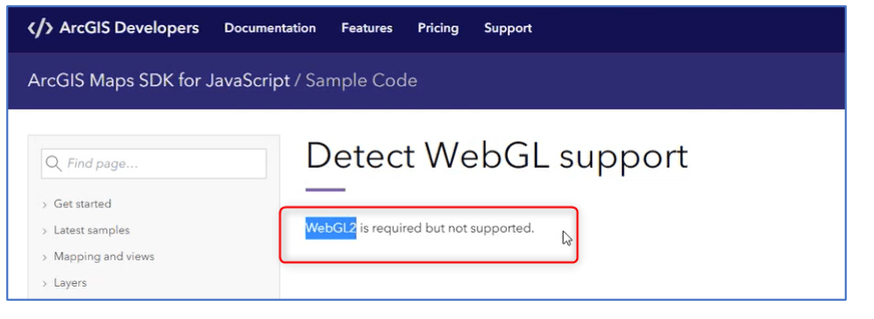
The next webpage can be used to see if the error message received is the same or similar https://developers.arcgis.com/javascript/latest/sample-code/custom-gl-visuals/
ka0PW0000001JmnYAE_0EM4W000005b57m.jpeg

On the image the following error can show: 
WEBGL2 is required but not supported.

WebGL stands for Web Graphics Library. It is a JavaScript API for rendering interactive 2D and 3D graphics within any compatible web browser without the use of plug-ins. The availability of WebGL is dependent on GPU (Graphics processing unit) support, on some older devices the usage of a GPU might be impossible.


Sometimes, WebGL cannot work as expected on the web browsers because they might be not up to date.
 

Action


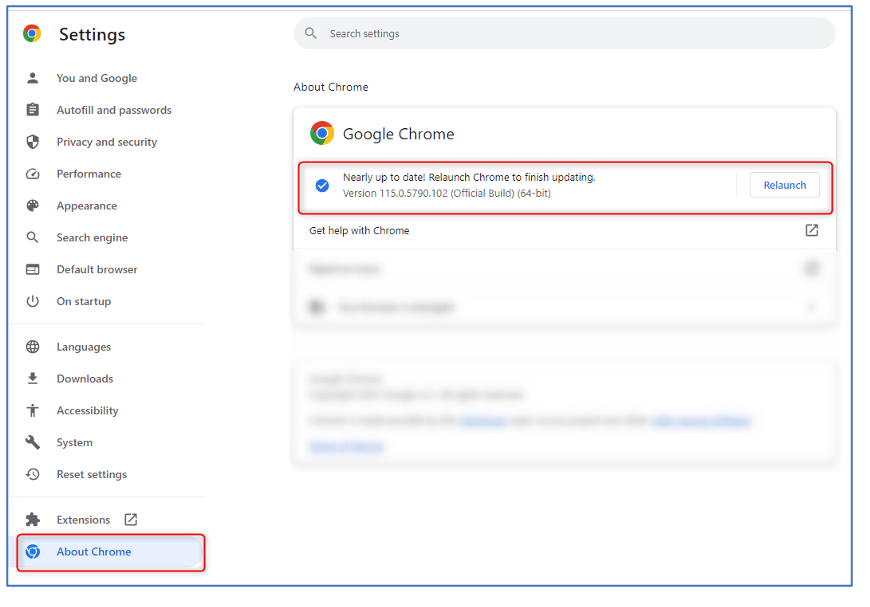
To solve this issue, go to your browser’s settings:

  • for Chrome: chrome://settings/help 
  • for Edge: edge://settings/help 


and update your browser accordingly.

ka0PW0000001JmnYAE_0EM4W000005b57w.jpeg

Then restart your browser and see if the error persists.
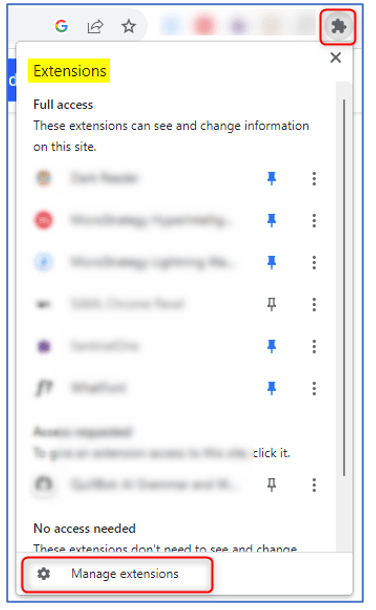
If the error persists, disable your browser Extensions, and see if the error persists. If the error is not persisting anymore, then you can start enabling one by one the Extensions to find which is the one causing the problem.
ka0PW0000001JmnYAE_0EM4W000005b581.jpeg

Related article: KB275993: ESRI map widget display as blank in MicroStrategy Web


Comment

0 comments

Details

Knowledge Article

Published:

July 27, 2023

Last Updated:

March 21, 2024