EducationSoftwareStrategy.com
StrategyCommunity

Knowledge Base

Product

Community

Knowledge Base

TopicsBrowse ArticlesDeveloper Zone

Product

Download SoftwareProduct DocumentationSecurity Hub

Education

Tutorial VideosSolution GalleryEducation courses

Community

GuidelinesGrandmastersEvents
x_social-icon_white.svglinkedin_social-icon_white.svg
Strategy logoCommunity

© Strategy Inc. All Rights Reserved.

LegalTerms of UsePrivacy Policy
  1. Home
  2. Topics
  3. KB484986: オブジェクトパッケージの提供について

KB484986: オブジェクトパッケージの提供について


Min Zheng

Senior Manager, Cloud Support • MicroStrategy


Strategy Technical Supportは、トラブルシューティング目的で レポート、ドキュメント、ドシエ、アトリビュートなどのオブジェクトを含むパッケージの提供をお願いしております。
以下の手順でObject Managerよりオブジェクトパッケージを取得、ご送付ください。
Workstationよりも取得可能で、以下のナレージをご参考ください。
Workstationでパッケージの提供について
1. Object Managerツールを起動
2. プロジェクトソースを選択し、ログイン
3. ターゲットプロジェクトを展開してから、ツールより「パッケージを作成」を選択
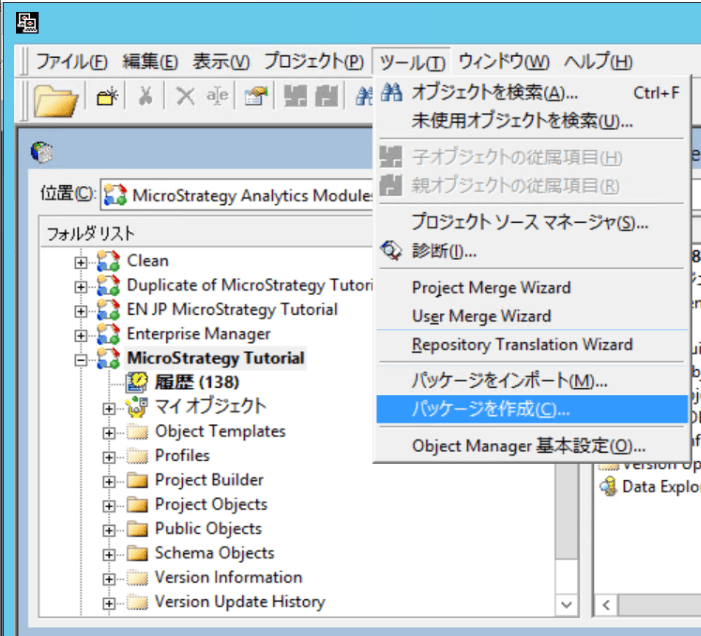
ka04W000001EtobQAC_0EM4W0000027Rim.png

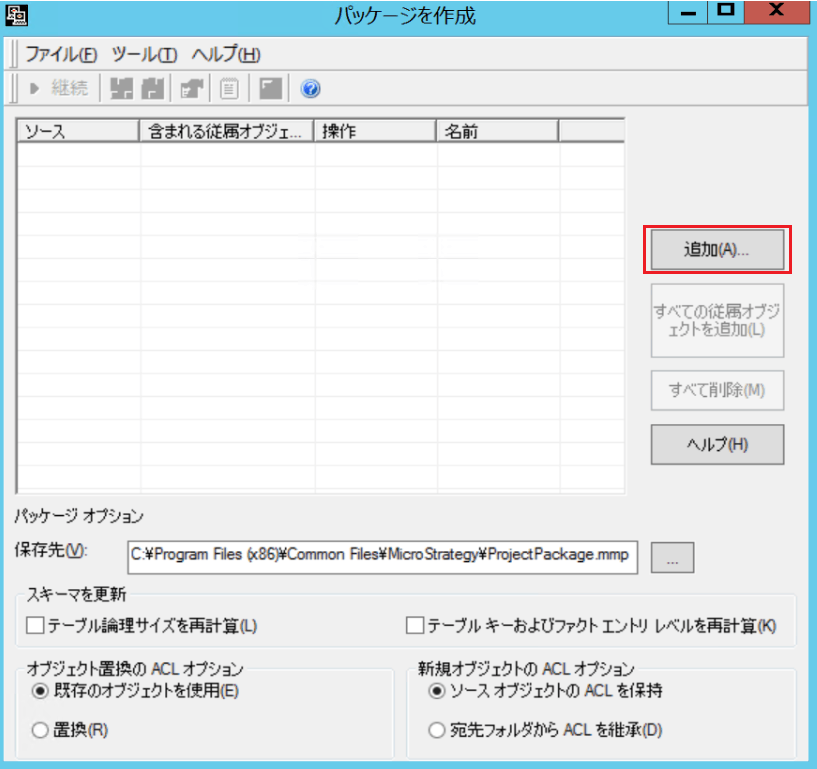
4. 「追加」から 対象オブジェクト(レポート、ドキュメントなど)を選択
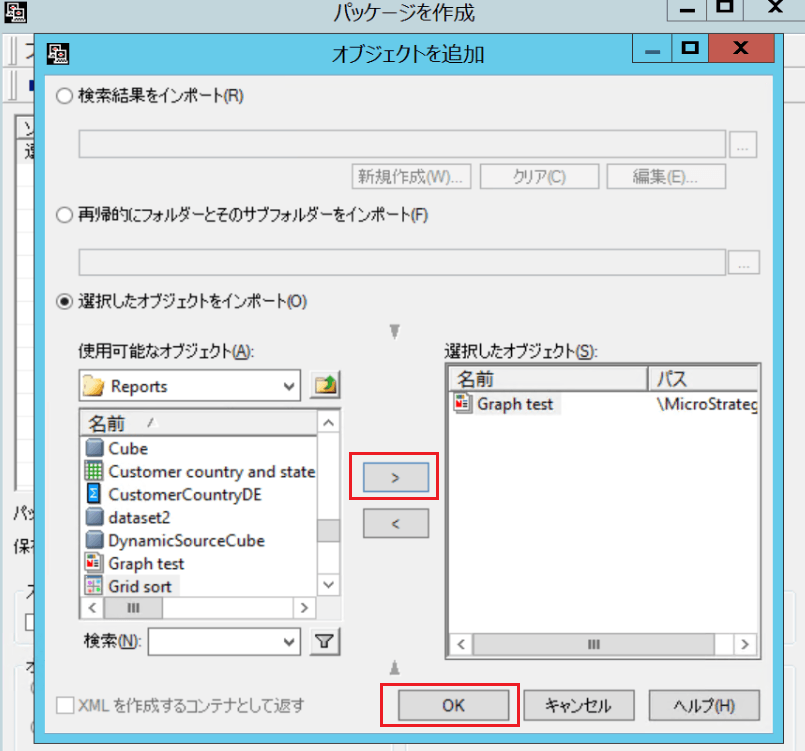
ka04W000001EtobQAC_0EM4W0000027Rin.png
ka04W000001EtobQAC_0EM4W0000027Rio.png

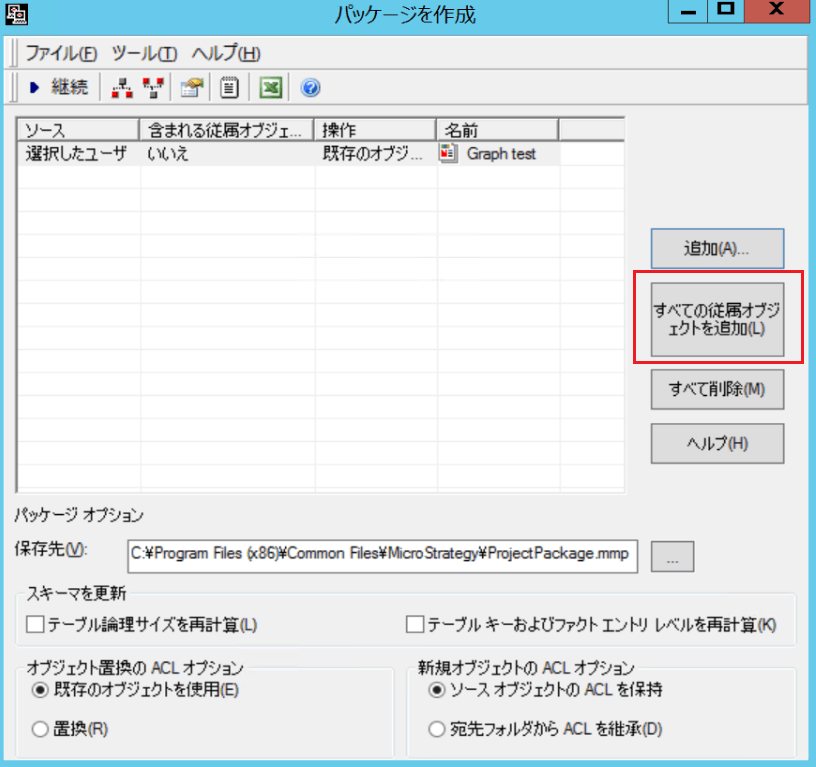
5. 追加後「すべての従属オブジェクトを追加」を押下

ka04W000001EtobQAC_0EM4W0000027Rip.png

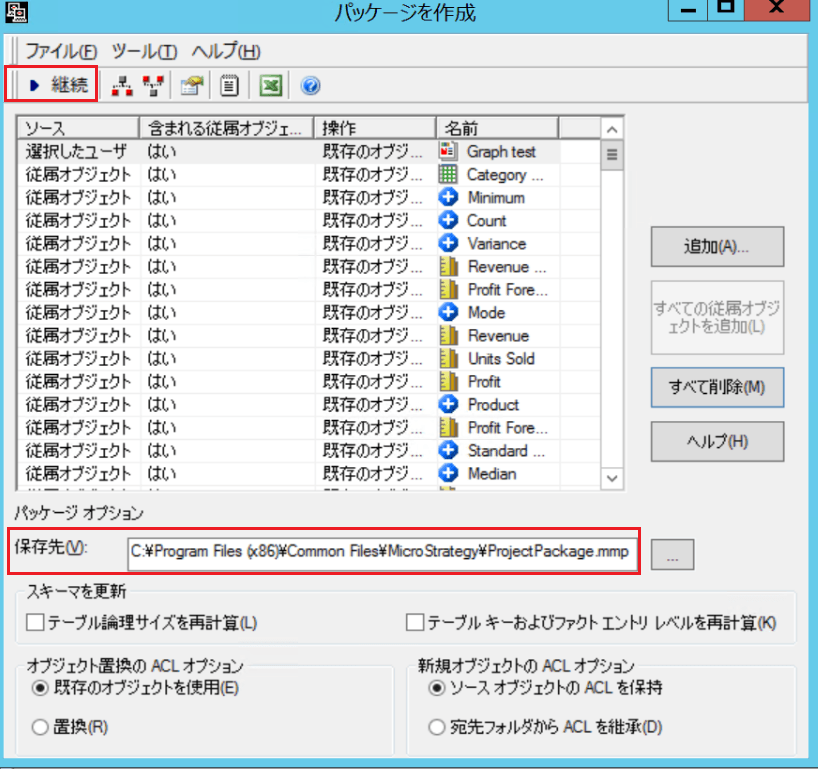
6. 従属オブジェクトが追加された後、「継続」を押下しパッケージを作成

ka04W000001EtobQAC_0EM4W0000027Riq.png

上記、保存先に生成されるパッケージをStrategy Technical Supportに送付してください。


Comment

0 comments

Details

Knowledge Article

Published:

April 14, 2021

Last Updated:

July 7, 2026