SYMPTOM
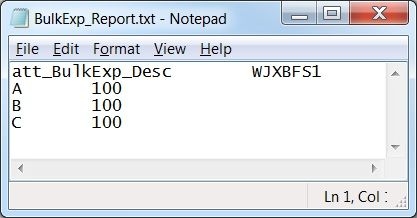
Even when users choose to show the DESC form of the attribute in a Strategy report, both the ID and DESC forms will be exported by default when performing a Bulk Export execution as shown below.
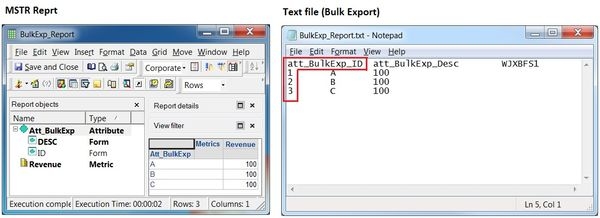
In some business scenarios, users may wish to manipulate the outcome of Bulk Export execution and display only the DESC form just like the report. This technical document provides the necessary steps to achieve this requirement.
BULK EXPORT EXECUTION PROCESSING
As KB31266 explains, it is important to know that when the Bulk Export report is executed, Strategy Intelligence Server creates a temporary table in the Project's Data Warehouse. Strategy Intelligence Server then incrementally fetches results from that table, and the naming convention for these temporary tables is of the form:
<Prefix><UserName>_<JobID>_<Time at which temp table is created>
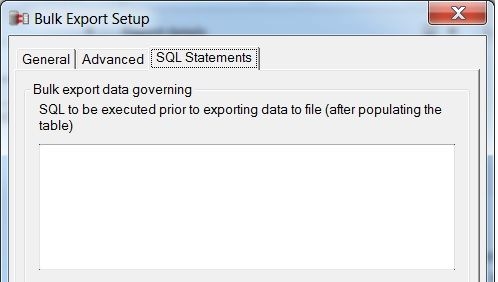
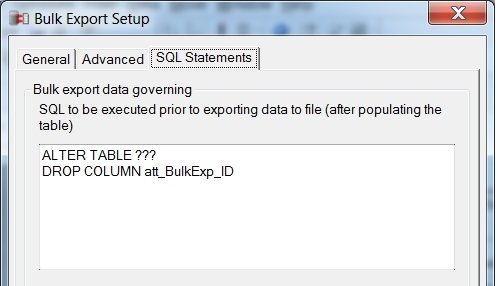
STEPS TO MANIPULATE THE BULK EXPORT OUTPUT
     ===========================================
     drop table Administrato_378_150925
     ----------------------
     select a11.att_BulkExp_ID att_BulkExp_ID,
            max(a12.att_BulkExp_Desc) att_BulkExp_Desc,
            sum(a11.revenue_BulkExp) WJXBFS1
     into Administrato_378_150925
     from BulkExp_Fact a11
      join BulkExp_LU a12
      on (a11.att_BulkExp_ID = a12.att_BulkExp_ID)
     group by a11.att_BulkExp_ID
     ----------------------
     ALTER TABLE Administrato_378_150925
     DROP COLUMN att_BulkExp_ID
     ----------------------
     select * from Administrato_378_150925
     ----------------------
     drop table Administrato_378_150925
     ===========================================