Starting with the release of Strategy ONE (March 2024), dossiers are also known as dashboards.
The following example uses Strategy Tutorial tables.
1. Open Strategy Web.
2. Create 2 datasets.
a. Create the new dataset DS1:
i. Add External Data > Databases > Select Tables.
ii. Select "CITY_MNTH_SLS" table and “LU_MONTH” table from the Tutorial warehouse.
iii. Keep only 3 attributes in “LU_MONTH” like below, and choose “Do Not Import” for all other attributes.
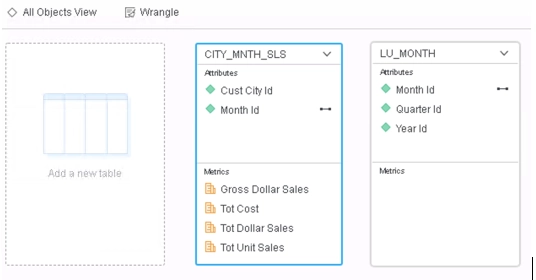
iv. Click the table menu on “LU_MONTH” and choose “Define Relationships”.
v. Click “Add New” to define 2 new one-to-many relationships like below.
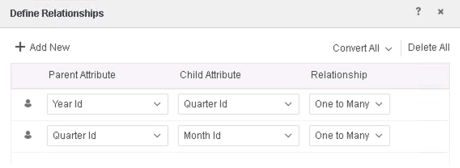
vi. Click “Finish” and choose to import as an In-Memory Dataset.
b. Create the new dataset DS2:
i. Add External Data > Databases > Select Tables.
ii. Select the "LU_MONTH" table from the Tutorial warehouse.
iii. Keep only 4 attributes and 1 metric in “LU_MONTH” like below, choose “Do Not Import” for all other elements.
iv. Click the table menu on “LU_MONTH” and choose “Define Relationships”.
v. Click “Add New” to define 3 new one-to-many relationships like below.
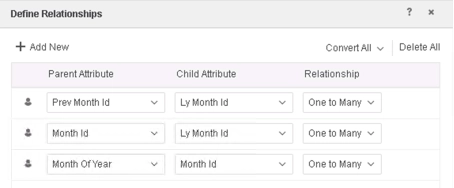
vi. Click “Finish” and choose to import as an In-Memory Dataset.
3. Link the attribute “Month Id” in DS1 and DS2.
4. Choose to edit filter in the visualization menu to add new filters like below. Note that the "Month Of Year" sub-filters are the same.
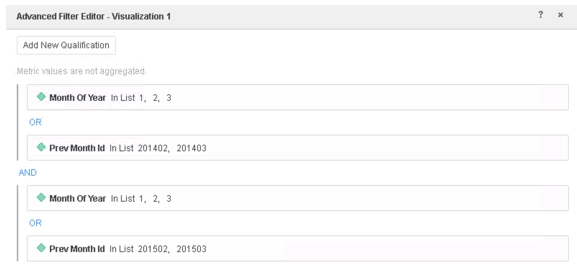
5. Add attribute “Year Id” and metric “Tot Cost” to the visualization.
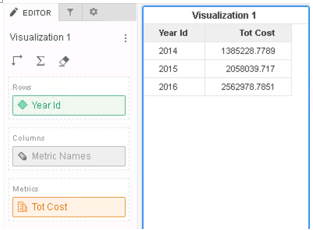
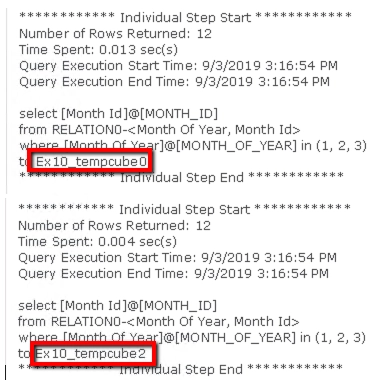
6. Go to visualization menu and choose Query Details to check the CSI, we can find there are 2 Individual Steps creating two temporary results tempcube 0 and tempcube 2 for later use, but they are exactly same.
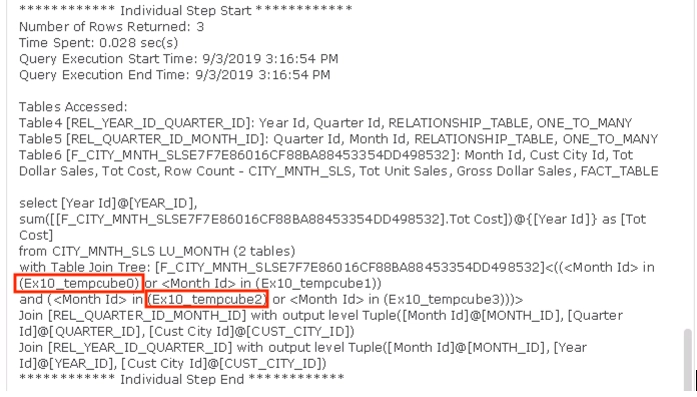
In the last step, both tempcube 0 and tempcube 2 are used for filtering.
This is a known behavior before Strategy 2020.
When a filter is analyzed, the Data Engine used to process each filter condition separately. In the above example, though the two sub-filter to choose “Month Of Year” in list 1,2,3 are the same, the temporary results for both of them need to be generated.
Starting from Strategy 2020, for duplicated filter conditions, the Engine will only calculate the temporary result once and reused for the same filter conditions, so that the performance can be improved.
After the fix, if user examine the Query Detail, CSI should show reused temporary cube.
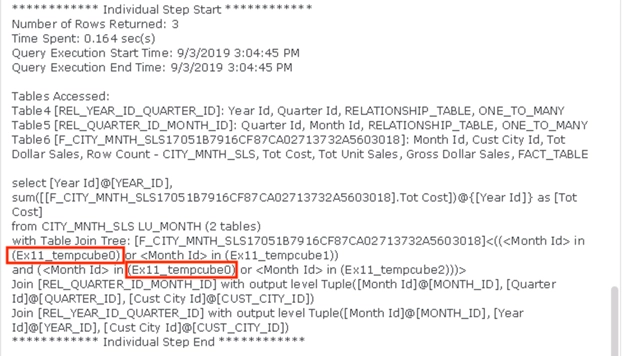
This enhancement cause a data missing defect in Strategy 2020 when:
This regression data missing defect is fixed in Strategy 2021 and Strategy 2020 Update 3. To pick up the fix, enable project level setting “Data Engine Version” to 2020 or above. For more details about this setting, refer to Change Data Engine Version
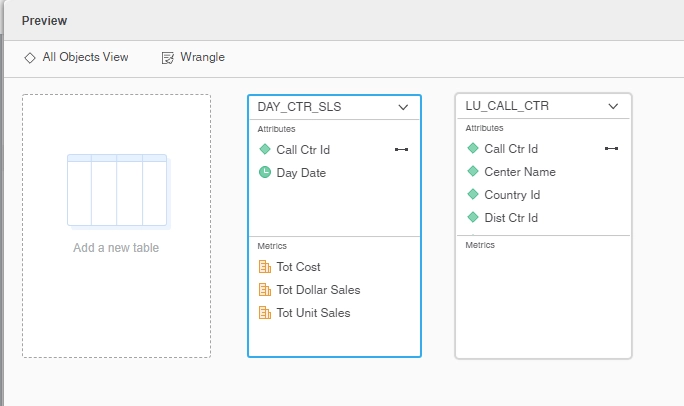
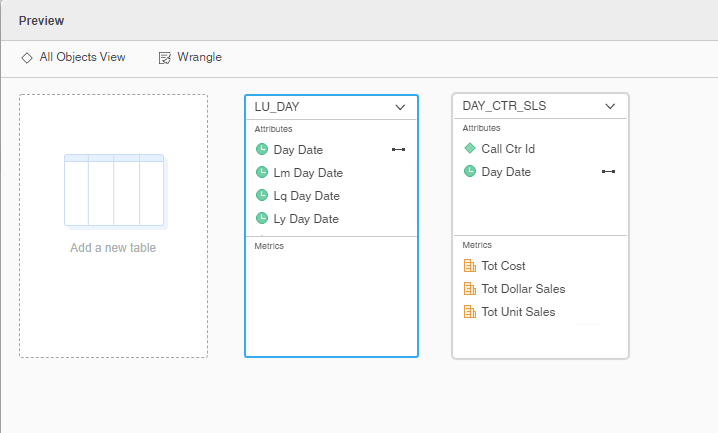
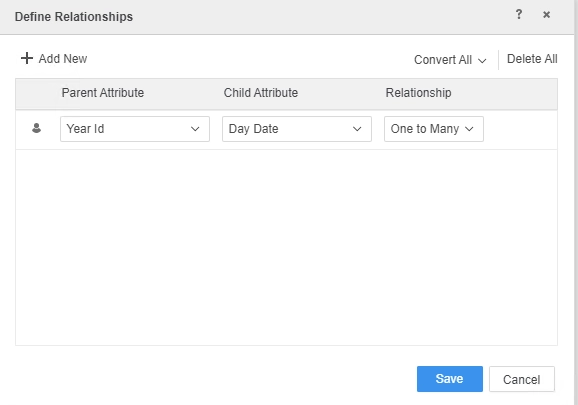
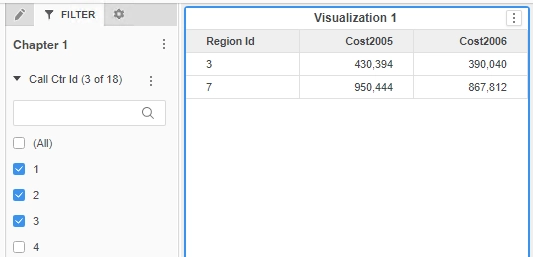
Detailed reproduce steps:
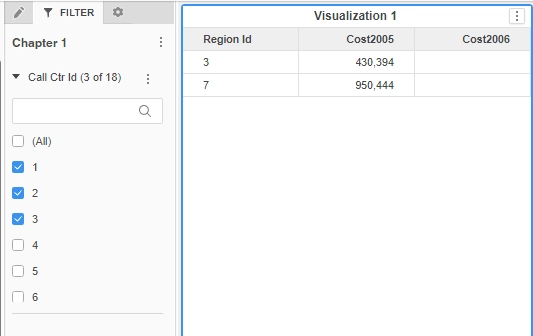
After the fix in Strategy 2021 with Data Engine Version 2020, the data is going back to Strategy 2019.
Strategy Internal Reference number for this technical note is KB483601 and US128767.
