For enhanced security, starting from Strategy version 2021 Update 4, for all the certified gateways, all SQL executions triggered from transaction services reports and transaction-enabled documents will be secured through parameterized queries.
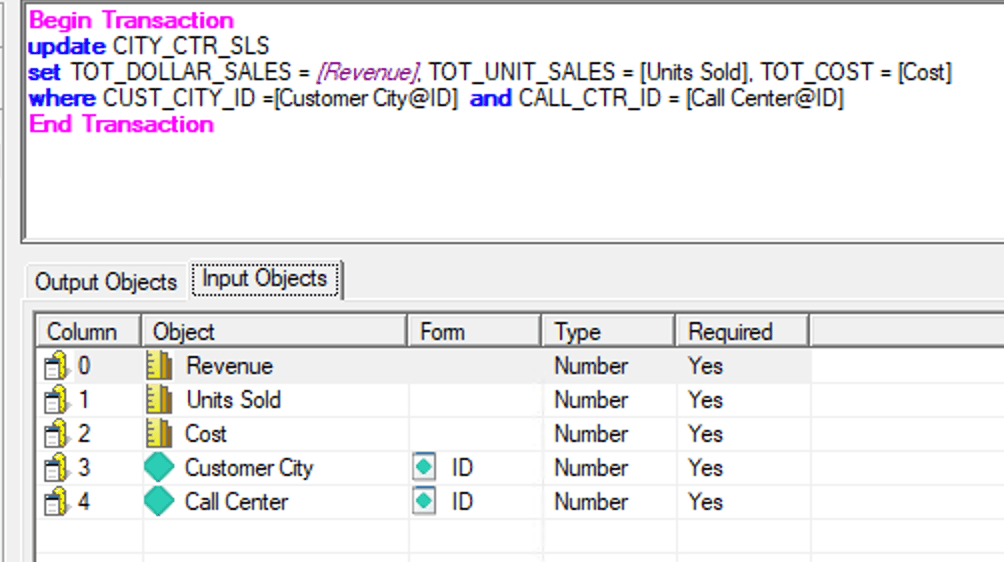
A user created a transaction report with SQL per this instruction.
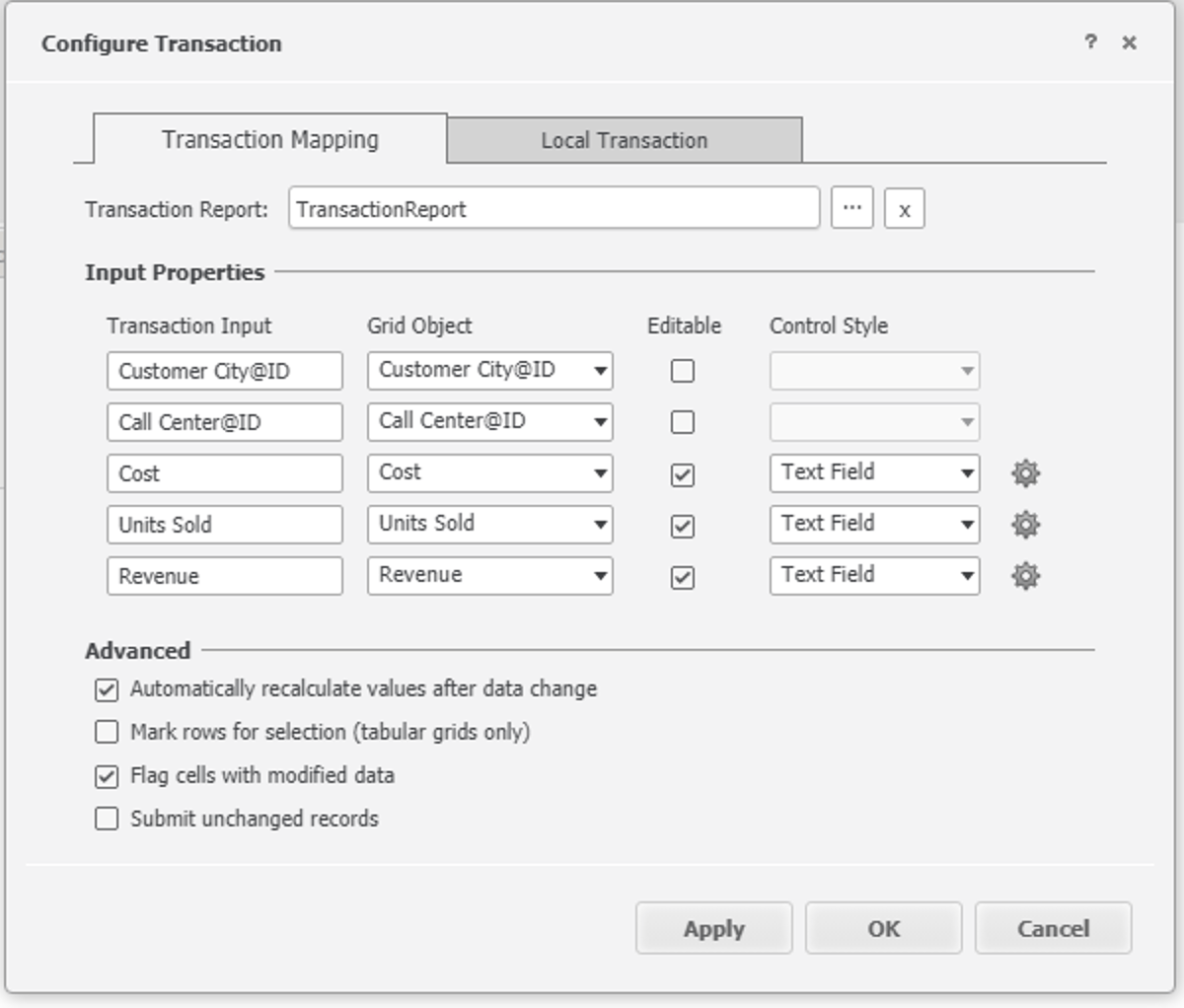
The user then created a document using this transaction report.
Edits some metric values in the grid and submit:
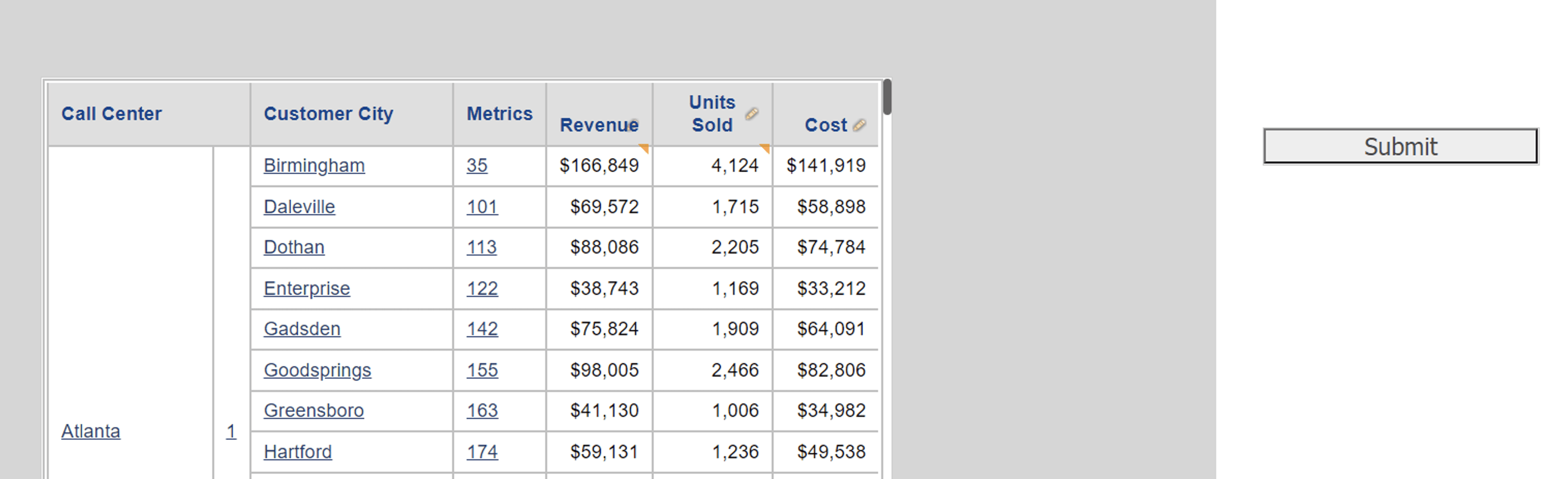
Before the feature is introduced, the query that the Engine sends is:
update CITY_CTR_SLSset TOT_DOLLAR_SALES = 166848.75, TOT_UNIT_SALES = 4124, TOT_COST = 141919.388500001where CUST_CITY_ID =35 and CALL_CTR_ID = 1
update CITY_CTR_SLSset TOT_DOLLAR_SALES = ?, TOT_UNIT_SALES = ?, TOT_COST = ?where CUST_CITY_ID =? and CALL_CTR_ID = ?with parameters: 166848.750000000000000 4124.000000000000000 141919.388500001368811 35 1
If the user upgrades the MD to Strategy version 2021 Update 4 or above, the feature will be enabled automatically as long as the DBMS is certified.
Since this feature greatly enhances the security of transaction services, we highly recommend our users to use it as long as they are on a certified gateway. Some known limitation that may happen will be discussed below and for many, workarounds are provided.
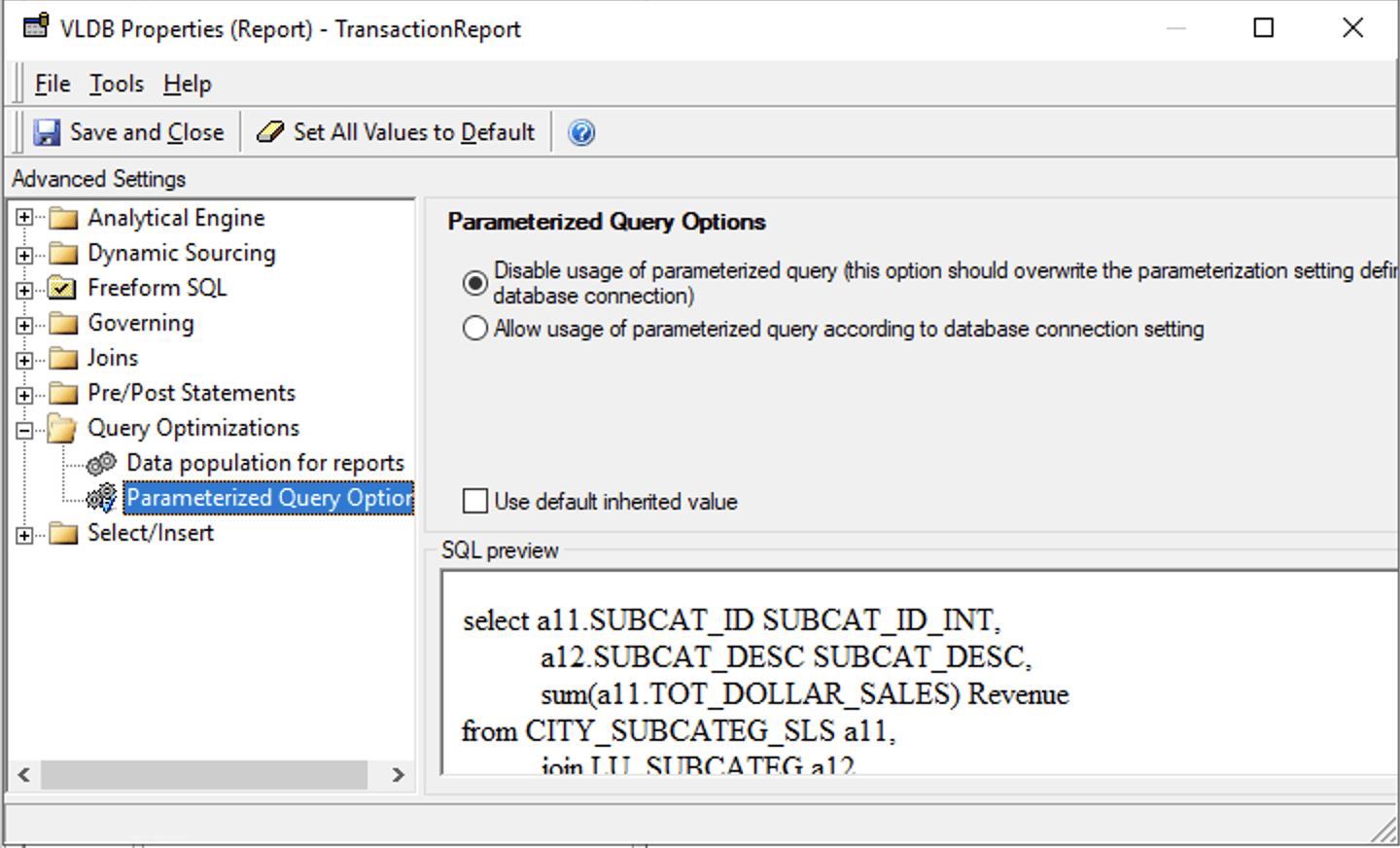
If users have evaluated and deem it is necessary to disable this feature for a specific transaction report, the admin can go to the VLDB Properties at the transaction report, enable "Show Advanced Settings" and find "Parameterized Query Option" and choose the first option.
Strategy 2021 Update 4
Amazon Redshift
Azure Synapse Analytics
Google BigQuery
Oracle 18c
Oracle 19c
Oracle 21c
SAP HANA 1.x
SAP HANA 2.x
Strategy 2021 Update 5
Denodo (requires manual Metadata update)
Microsoft SQL Server 2008 and 2008 R2
Microsoft SQL Server 2012
Microsoft SQL Server 2014
Microsoft SQL Server 2016
Microsoft SQL Server 2017
Microsoft SQL Server 2019
Strategy 2021 Update 6
SingleStore
Snowflake
Strategy 2021 Update 8
Denodo (no manual Metadata update required)
PostgreSQL
Transaction report with System Prompt failed with "Parameter count and table column count do not match"
Transaction Report comparing date time with NULL failed with "String data, right truncated." after Parameterized Queries are used
Transaction report with multiple statements failed with error "Execute Parameterized Query failed"
Transaction Report with Binary Input failed with syntax error after enabling Parameterized Queries
