EducationSoftwareStrategy.com
StrategyCommunity

Knowledge Base

Product

Community

Knowledge Base

TopicsBrowse ArticlesDeveloper Zone

Product

Download SoftwareProduct DocumentationSecurity Hub

Education

Tutorial VideosSolution GalleryEducation courses

Community

GuidelinesGrandmastersEvents
x_social-icon_white.svglinkedin_social-icon_white.svg
Strategy logoCommunity

© Strategy Inc. All Rights Reserved.

LegalTerms of UsePrivacy Policy
  1. Home
  2. Topics

When performing a component search of a view report, not all objects return in the search results in MicroStrategy Desktop.


Community Admin

• Strategy


SUMMARY:
This issue has been classified as working as designed by Strategy. The impact is limited to Strategy Desktop 9.x only when performing a component search of a view report. A solution/code fix for this issue is available within this document.
 
SYMPTOM:
When performing a component search of a report based on a cube, the search doesn't return all objects that are available in the report in Strategy Desktop 9.x. Objects that reside in the “Report objects window” but not on the template appear to be missing from the results.
 
STEPS TO REPRODUCE:
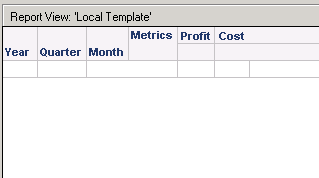
  • Create a cube with Year, Quarter, Month for the attributes and Cost and Profit for the metrics.                                                                                                                                     
ka04W00000148GJQAY_0EM440000002X3y.jpeg
  • Publish the cube.
  • Create a view report based on the newly created cube.
  • Add all objects on to the grid except Quarter and run the report.                                               
ka04W00000148GJQAY_0EM440000002X49.jpeg
  • Perform a component search of the view report. Note that “Quarter” does not appear in the search results as shown below:                                                                                              
ka04W00000148GJQAY_0EM440000002X42.jpeg
ka04W00000148GJQAY_0EM440000002X40.jpeg

 
VIDEO:
For a video on steps to reproduce, please see the following video: <Video placeholder>
 
CAUSE:
This is working as designed by Strategy. Objects in the “Report objects window” of a view report are the objects available within the cube the report is based on. However, they are not considered components of the report unless they have been added to the grid and saved.
 
ACTION:
Add the objects to the grid of the report in order for those objects to return in a component search.
 
TO LEARN MORE:
Related technotes:
KB46828 How to make components of a report filter object appear on a non-recursive report components search in Strategy Developer 9.2.x-9.4.x
KB33730 The search window does not return all the report objects when searching for components of a Free Form SQL report in Strategy Desktop 9.0.1
 
Report Services Document Creation Guide 9.x
Basic Reporting Guide 9.x


Comment

0 comments

Details

Knowledge Article

Published:

July 21, 2017

Last Updated:

July 21, 2017