Note: Starting in Strategy 11.0, the behavior has been changed and the Intelligence Server does not Messaging Services by default. For more details, see KB442160.
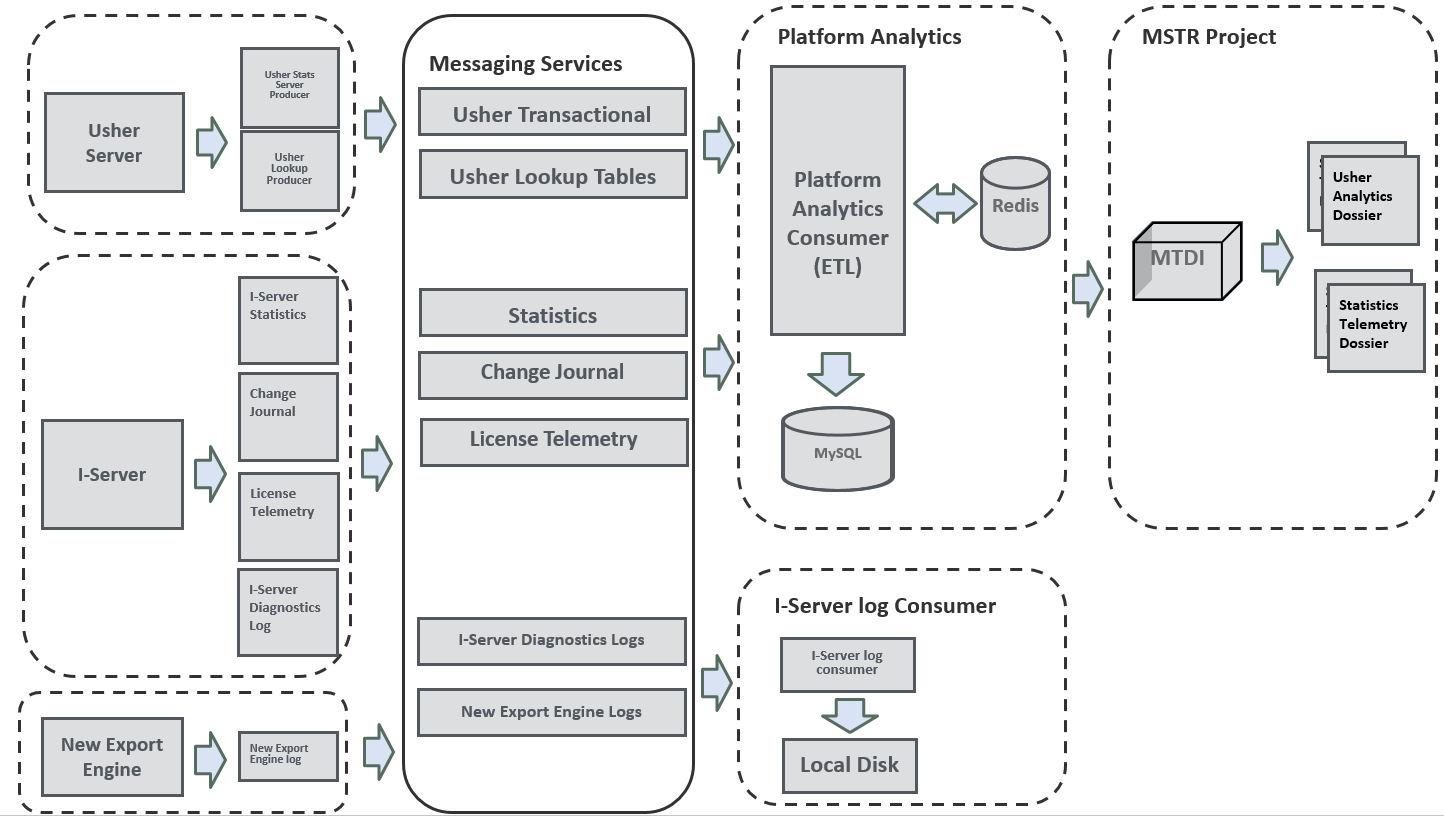
For 10.5 and above release, Strategy Messaging Service is enabled by default during installation. It is a distributed publish/subscribe messaging system based on Apache Kafka. Below graph shows the basic architecture of the Strategy Messaging Services and as one can tell, the Intelligence server is one of Kafka Producers with the 'I-server log Consumer' being its content consumer.
Messaging Services Architect:
Messaging Services Workflow for I-Server:
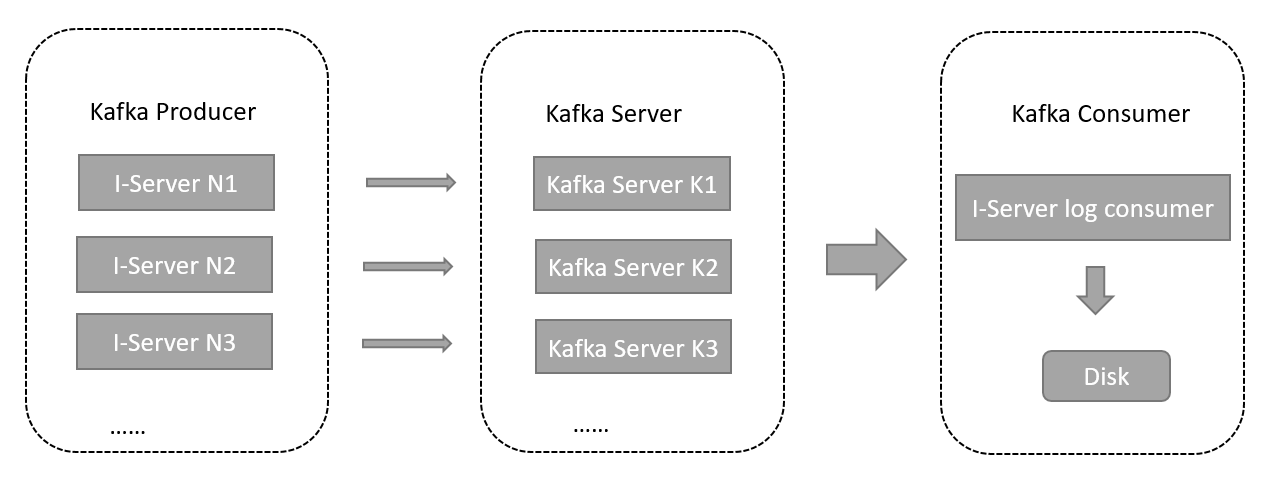
*You can learn more about Kafka cluster from this page: https://www.tutorialspoint.com/apache_kafka/apache_kafka_cluster_architecture.htm
Impact on logs and traces:
With this new messaging system enabled in 10.5 and above, all Intelligence server logs and traces (i.e. logs from Diagnostics and Configuration Tool, DSSErrors.log etc,.) will be logged, by default, to the following location, for example:
However, if messaging service is disabled due to whatever reason (including any unexpected Kafka server downtime), then all logs and traces will be written to local disk (same location as prior to using messaging service), for example:
Impact on using existing metadata where messaging service was enabled:
Let's assume I-server environment A is connected to metadata A with server definition A and message service is enabled and configured to log to location A. You are asked to create Environment B with I-server B against a copy of metadata A: if the same server definition A is used in this environment B, all logs will be written to location A as well. If this is not the desired behavior, please do disable message service ASAP when setting up environment B, make changes to desired logging path prior to enabling message service again.
To enable/disable Kafka via Command Manager, please take a look at the following knowledge base article:
KB328864: How to enable and disable MicroStrategy Messaging Services (Kafka) logging for the Intelligence Server in MicroStrategy 10.5 and higher versions on Windows and Linux
To limit the file size of the messages being logged to Kafka, please take a look at the following article for Governing Requests:Limiting the Size of Messages Logged to Kafka
KB440368
