Starting with the release of Strategy ONE (March 2024), dossiers are also known as dashboards.
Job status in History List becomes "Error" after a user logout the session.

1. Create a dataset report that takes at least 1 minutes to be executed.
2. Right click on the dataset report and select "Create Dossier" from the menu.
3. After wait page is displayed, click "Add To My History List" link.
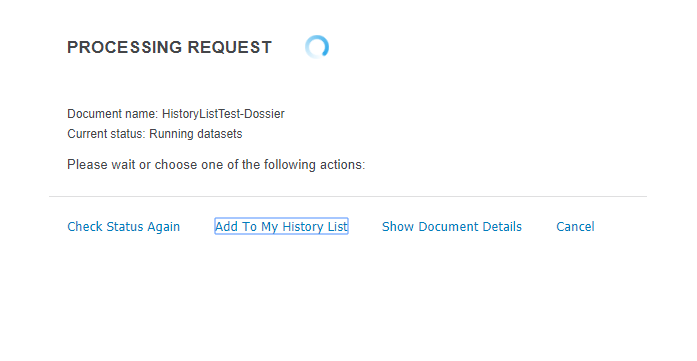
4. Go to History and confirm the request is added with Status "Running datasets."

5. Before the job completes, log out from the project.
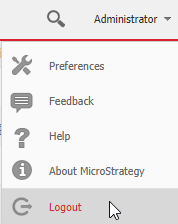
6. Log back in the same project and go to History. Notice that the job status changed to "Error."
A checkbox for "Save Report Services document dataset message to History List" is unchecked. This setting can be found in Project Configuration > History List as shown below:
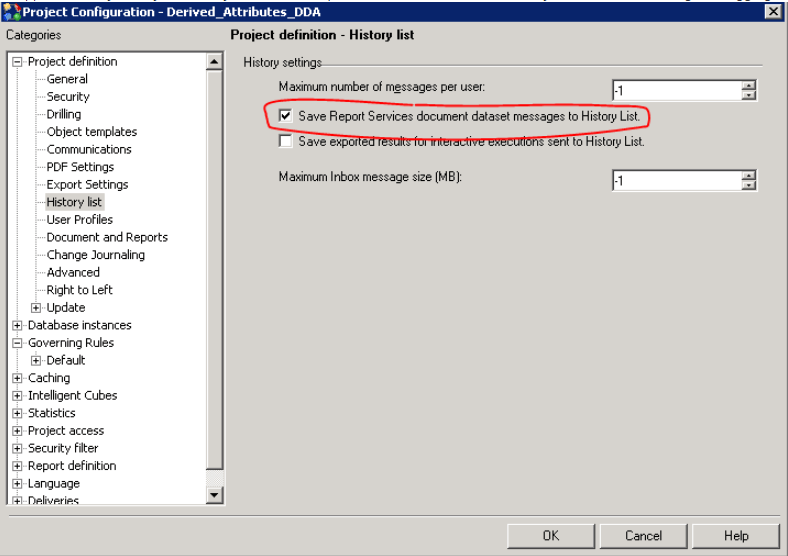
Check this check box to avoid the jobs getting canceled upon user's log out or a session timeout error.
For more information regarding when jobs are expected to be canceled, refer to:
KB20098: How to manually Cancel Jobs Submitted via MicroStrategy Intelligence Server 9.x
KB9087: Executing jobs are cancelled even though the setting "Cancel this session's pending requests?" is set to "No" in MicroStrategy Web 9.x - 10.x
