SYMPTOM:
Users having a custom language Number and Date Format set via Command Manager see the following error message:
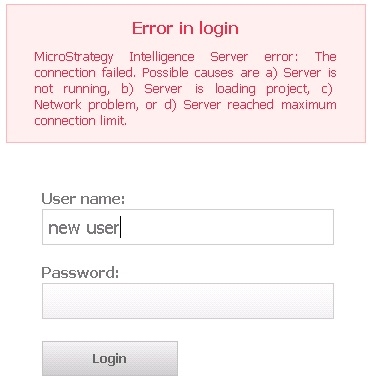
Error in login

Strategy Intelligence Server error: The connection failed. Possible causes are a) Server is not running, b) Server is loading project, c) Network problem, or d) Server reached maximum connection limit.
when logging into Strategy Web 9.x.
MSINetStream::readBinary() error - 1049609 is not a valid locale id
<record>


  <package>com.Strategy.webapi</package>

  <level>SEVERE</level>

  <miliseconds>1407179984202</miliseconds>

  <timestamp>dd/mm/yyyy xx:xx:xx:xxx</timestamp>

  <thread>1</thread>

  <class>MSIMsgBuf</class>

  <method>ReadFromChannel</method>

  <message>MsiNetStreamI : Read error. (com.Strategy.webapi.MSTRWebAPIException)</message>

  ...

</record>

<record>

  <package>com.Strategy.webapi</package>

  <level>SEVERE</level>

  <miliseconds>1407179984202</miliseconds>

  <timestamp>dd/mm/yyyy xx:xx:xx:xxx</timestamp>

  <thread>1</thread>

  <class>CDSSXMLCommand</class>

  <method>ReadResponse</method>

  <message>The connection failed. Possible causes are a) Server is not running, b) Server is loading project, c)  Network problem, or d) Server reached maximum connection limit. (com.Strategy.webapi.MSTRWebAPIException)</message>

...

</record>
ALTER LANGUAGE FOR NUMBERDATE AT USER LEVEL FOR USER "new user" USE LANGUAGE "New English US";
CAUSE:
This is a known issue for custom languages in Strategy Web 9.4.1.
ACTION:
This issue has been addressed in Strategy 10.x. Upgrade to take advantage of the fix.
WORKAROUND:
Set the Number Date Format to the language the custom language is based on or any other supported language.
LEARN MORE ABOUT:
Please review the following article describing similar error messages in Strategy:
