SYMPTOM:
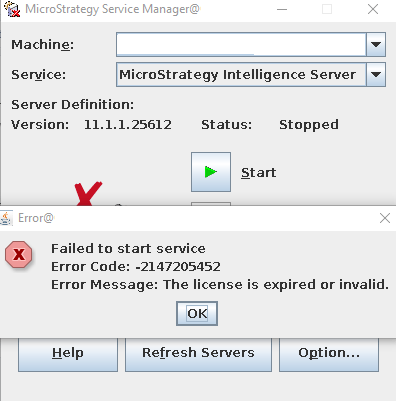
When attempting to start the Intelligence Server the service will return to the stopped status with the following graphical error message within Service Manager.
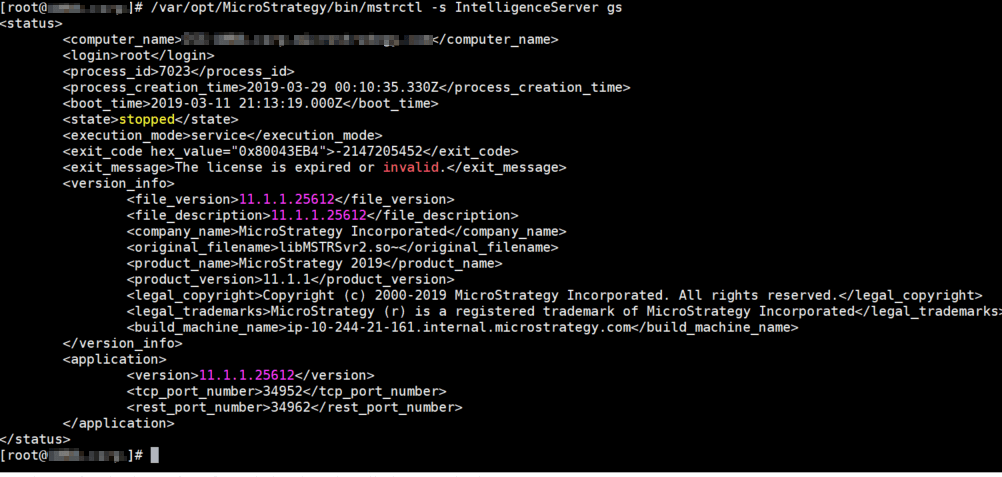
If a GUI is not available then the service status may be checked by running the mstrctl utility from the binary directory:
./mstrctl -s IntelligenceServer gs
Within the DSSErrors.log on the Intelligence Server the following log entry will be seen:
2019-03-27 15:06:04.755-04:00 [HOST:<host-name>][SERVER:CastorServer][PID:64199][THR:140665041757952][Kernel][Fatal][0x80043EB4][UID:0][SID:0][OID:0] The license is expired or invalid.
This issue occurs if there was previously deployed on the Intelligence Server an Evaluation License Key which contained the product Server - Reporter and the current License Key does not contain Server - Reporter.
A similar issue is seen in Strategy 2019 without Update 1 due to not having the Mobile Server component installed: KB482908
CAUSE:
This is an identified defect in Strategy 2019 Update 1. A fix is planned for release in Strategy 2019 Update 2, tentatively scheduled to be GA in late Q2 2019.
ACTION:
A global patch has been released to address this issue on Strategy 2019 Update 1. See this article for application instructions: https://community.strategy.com/article/Cleanup-invalid-behavior-file-generated-by-previous-build-Global-Patch?t=1555694205770
WORKAROUND:
If you are unable to apply the global patch above, to allow the Intelligence Server to start successfully the mstr.bhv file that is within the Intelligence Server needs to be re-created with the current License Key that does not contain Server - Reporter. This file is located by default in the C:\Program Files (x86)\Common Files\Strategy directory on Windows and the /var/opt/Strategy directory on Linux. There are two different methods that can be used to regenerate the behavior file:
1. A clean installation of Strategy 2019 before the application of Update 1 will prevent this issue from occurring as this will remove the old License Key from the system and the fresh installation will only contain the new key.
2. If a clean installation can not be performed on the current machine impacted by this issue the behavior file from a similar environment may also be utilized. On another machine that has the same Operating System as the impacted Intelligence Server machine the clean installation can be performed using the current License Key and installing all of the same components.
After the installation has been completed but before activation the behavior file can then be copied over to the impacted Intelligence Server machine. On this environment a backup should be taken of the original behavior file, then the newly generated file can be placed in the same location, the Intelligence Server activated, and finally started.
