SYMPTOM:
Upon execution of following command,
projectmerge.exe -f<filename.xml>
the below error message pops-up:
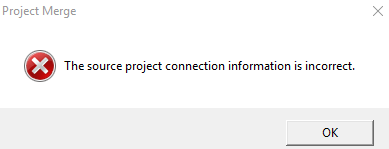
The source project connection information is incorrect.
STEPS TO REPRODUCE:
1. Create a XML file which with help in generating an object package using Object Manager. For more details, refer to: KB36167: How to create an Object Manager package from the command line in MicroStrategy 9.4.x-10.x? (*Note: Login to 2-tier Project Source in Object Manager. This issue is specific when 2-tier connection is used but not with 3-tier connection.)
2. After confirming the XML file generated by Object Manager, try running the command and notice the error as described in SYMPTOM section.
CAUSE:
This is a known issue with Strategy Object Manager 10.x. When Object Manager is generating a XML file with 2-tier connection to the project, the parameter for "location" gets populated incorrectly. As shown below, the Data Source Name (DSN) is ended with semicolon.
<Connections>
<SourceConnection>
<Location>DSN=Analytics_Metadata;</Location>
<Project>Strategy Tutorial</Project>
<ConnectionMode>2-tier</ConnectionMode>
<AuthenticationMode>Standard</AuthenticationMode>
<Login>administrator</Login>
</SourceConnection>
</Connections>
ACTION:
Open the XML file in a text editor and manually remove the semicolon at the end of the DSN, then, execute the command again.
A different root cause and resolution identified for the same error message with same command. For more details, refer to: KB231151: "The source project connection information is incorrect" error appears when attempting to run Project Merge in command line mode with source project in Microsoft Access database
