What are the different methods to connect to Microsoft Excel?
1. It is possible to connect to Microsoft Excel via 'Add External Data' -> 'File From Disk' often referred to as 'Data Import'.
2. Another possible method is to connect via ODBC. This method consists of creating a Database Instance that utilizes a pre-created DSN with a driver provided by Microsoft.
Recommended method of connecting to Microsoft Excel:
Strategy Data Import:
1. Connect to Strategy Web (this example) or Strategy Desktop.
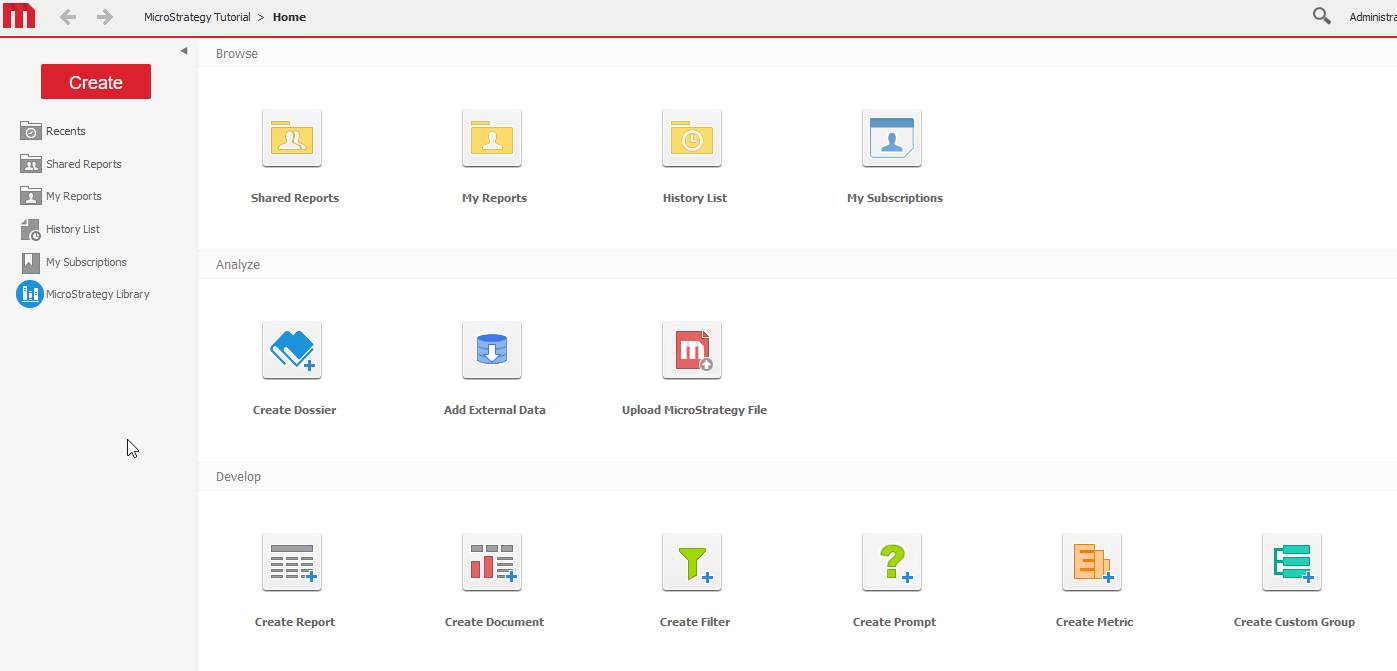
2. Click 'Add External Data' and then 'File From Disk'.
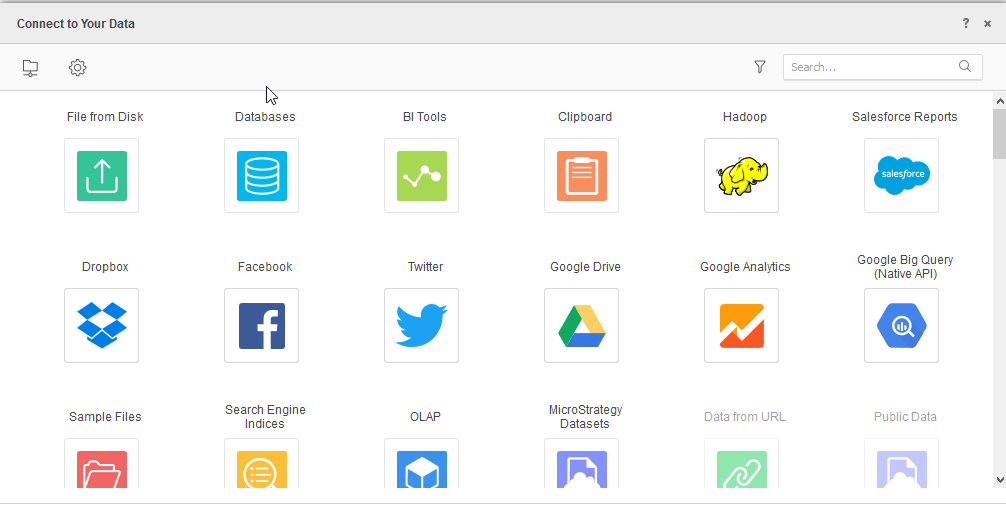
3. Click ' Choose files' and select your Excel file or drag and drop the Excel file into the window.
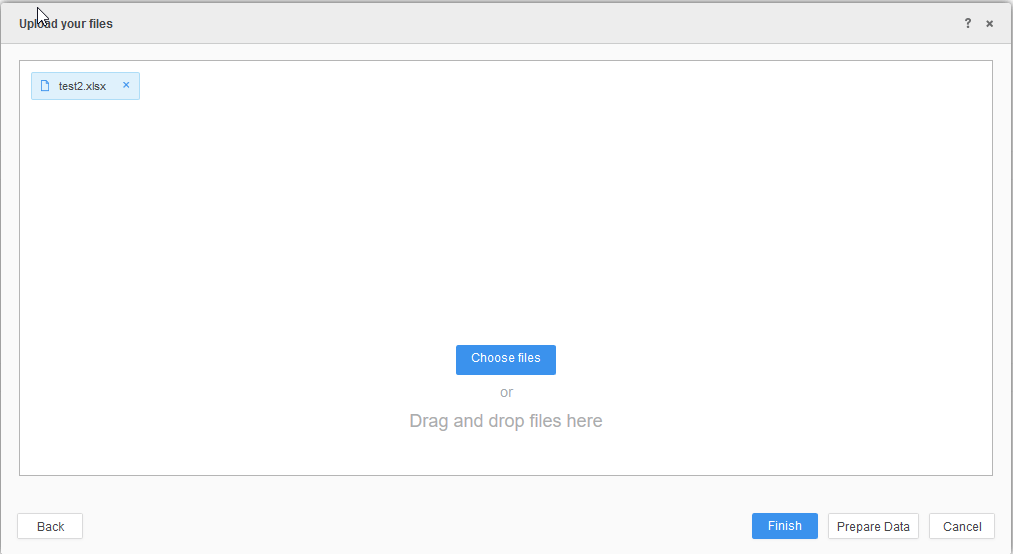
4. Click 'Prepare Data' if further processing is required or click 'Finish' if it is not required.
This will create an Intelligent Cube for the data of the Excel file to be accessed.
Note: Strategy Desktop instructions are slightly different from Strategy Web for accessing the External data window.
For more information regarding using Data Import for connecting to Excel and other file based sources, use the link provided: http://www2.microstrategy.com/producthelp/10/WebUser/WebHelp/Lang_1033/Importing_data_from_a_file.htm
ODBC method of connecting to Microsoft Excel:
Connecting to Excel via ODBC:
1. Create DSN using Excel driver provided by Microsoft
2. Create a Database Instance with corresponding Database Connection details using the DSN previously created.
3. Either import tables using Warehouse Catalog in Strategy Developer or create Intelligent Cubes directly using Strategy Web Data Import with the 'Databases' option.
Connecting to Excel via ODBC is not recommended as the nature of connecting to the file and the different sheets within the file is not reliable. This is due to Microsoft Excel not being an actual database. We cannot guarantee a reliable connection via this method as a result.
Some common issues when connecting to Excel via ODBC:
1. https://community.strategy.com/article/KB222055-The-Microsoft-Office-Access-database-engine-cannot-open
2. https://community.strategy.com/article/KB47325-quot-The-Microsoft-Jet-database-engine-cannot-open-the
3. https://community.strategy.com/article/KB41302-quot-ODBC-Excel-Driver-unknown-is-not-a-valid-path-quot
This issue has been logged as KB ID: KB441862
