Strategy can connect to SAP HANA via DSN or without DSN. Once you connect, you can choose an authentication method.
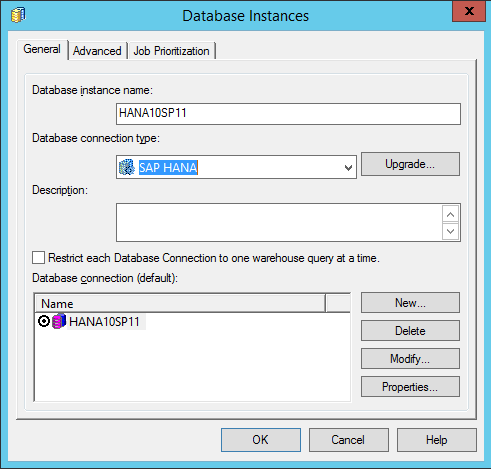
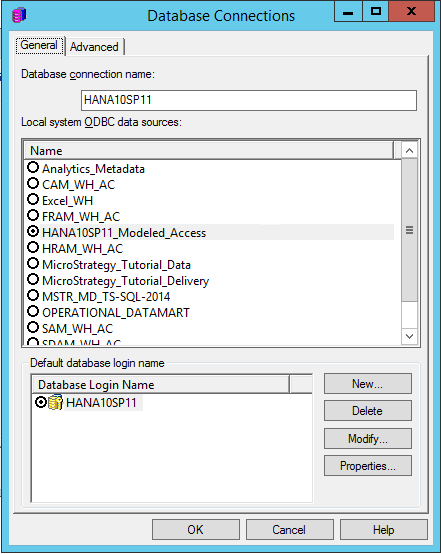
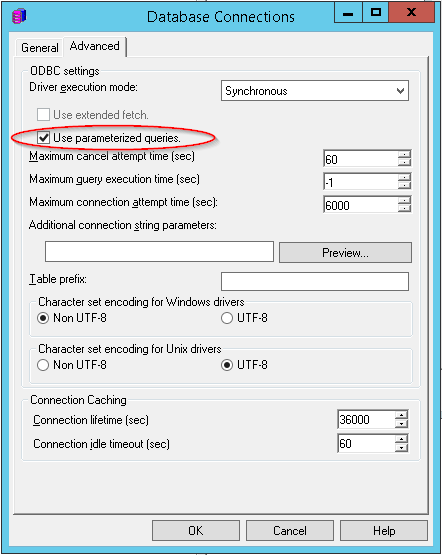
DSN-less connection to SAP HANA is supported via Strategy Web and Desktop.
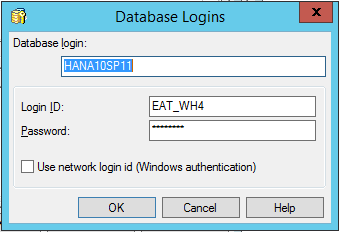
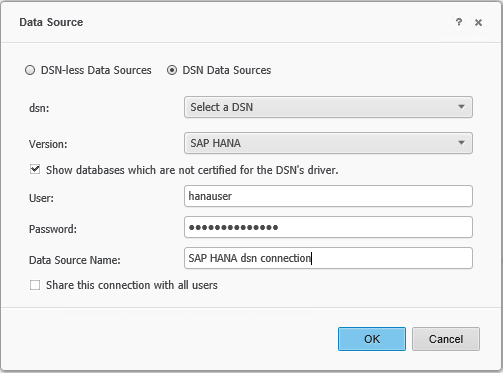
When connecting with a DSN, password authentication is the default authentication mechanism for Strategy users connecting to SAP HANA. You must configure the DSN in the Strategy server and in Strategy Desktop or Web.
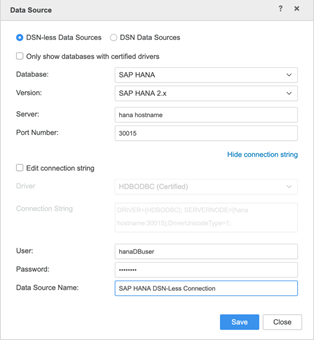
When using a DSN-less connection, the default option is to use password authentication. Enter a User and Password when establishing the DSN-less connection.
Strategy supports Single Sign-On (SSO) access to SAP HANA using Kerberos when the Strategy Intelligence Server resides on either a Windows operating system or a Linux system.
To set up Kerberos for use with SAP HANA and Strategy, see How to set up Kerberos for use with SAP HANA and MicroStrategy.
To set up SSL/TLS connection between Strategy clients and a SAP HANA server, see
KB483476: How to Configure SSL/TLS in MicroStrategy for SAP HANA.
Windows authentication (NTLM)
Strategy allows you to leverage SAP HANA's database concept of User Defined Roles. For more information, see MicroStrategy Personas and SAP HANA User Defined Roles.
