With the introduction of Database Based History List in Strategy 9.0, administrators can now configure their History List either using the file based method or the new database based method.
For details on this new feature and how to use it, refer to the following Strategy Knowledge Base Documents below:
KB20506: What is Database Based History List in MicroStrategy 9.4.x - 10.x
KB20508: How to set up and configure a Database Based History List Repository in MicroStrategy 9.x and newer
KB20507: New Feature in MicroStrategy 9.x: History List Messages Monitor
HISTORY LIST REPOSITORY TABLES
When a History List repository is configured in 9.4.x - 10.x, following tables are created:
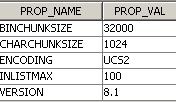
When users have the option to save history report caches to database, the Intelligence Server backs up the cache content referenced by History List messages and it effectively de-couples History List and caches. When History caches are deleted from Strategy Desktop either via the cache Monitor or an administrative task, history caches are removed only from the file system. Content that is duplicated to the DSSCSCONTENT (in 9.0.x) and DSSCSRPTCACH (in 9.2.x and later) table is not deleted and the history list messages that reference this content continue to work.
When the last history list message referencing the cache content is deleted, the duplicated cache content in DSSCSCONTENT/DSSCSRPTCACH table will need to be cleaned up otherwise it can lead to un-managed database based history list. Administrators can make use of the 'cleanup history list database' scheduled administrative task to take care of this. Refer to the following Strategy Knowledge Base document for more information on this task.
KB37831: What does the administrative task Clean History List Database do in MicroStrategy 9.0.2 and later?
WARNING:
Manually editing values in the Strategy History List repository incorrectly may cause serious, project-wide problems that may make your project unusable. Since these are user-initiated changes, they are not covered by any Strategy warranty. Users are strongly encouraged to backup their repository prior to any alteration
