SYMPTOM:
When executing a Report Services Document in Flash View mode in Strategy Web 9.x running on Windows Server 2008 64 bits, the following error message appears:
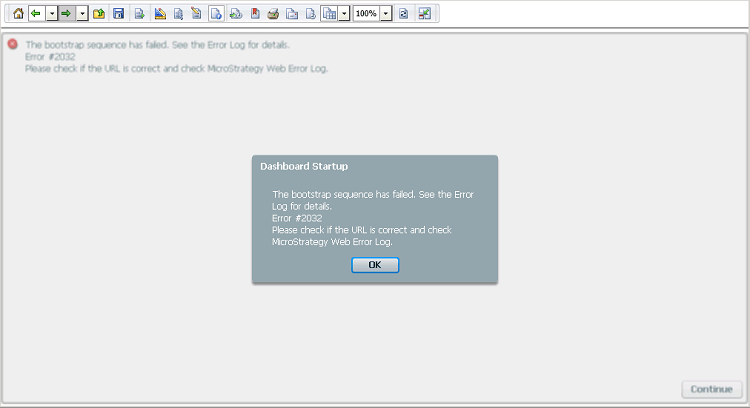
When clicking on OK, the same error message is displayed:
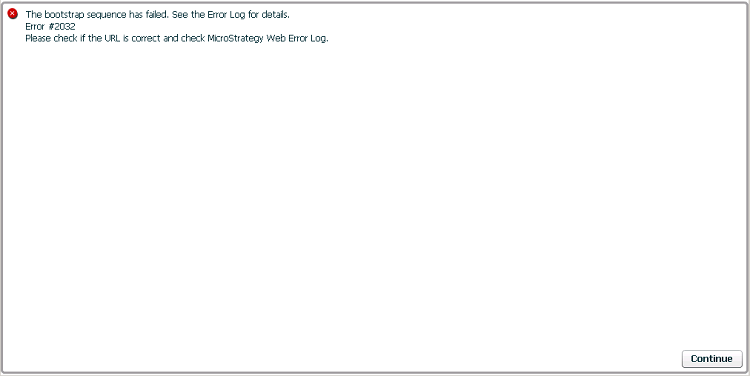
The bootstrap sequence has failed. See the Error Log for details.
Error #2032
Please check if the URL is correct and check Strategy Web Error Log
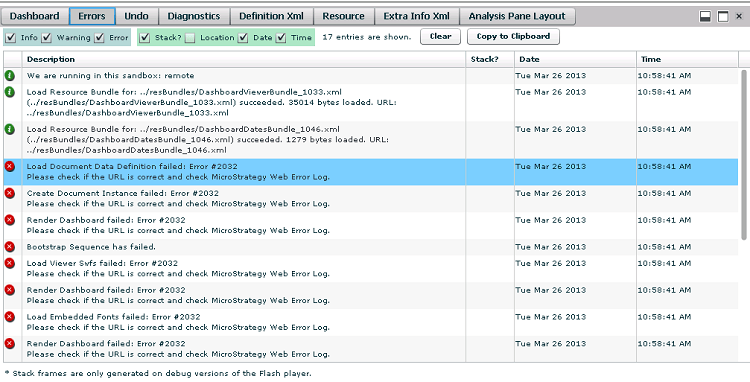
Render Dashboard failed: Error #2032.
Please check if the URL is correct and check Strategy Web Error Log.
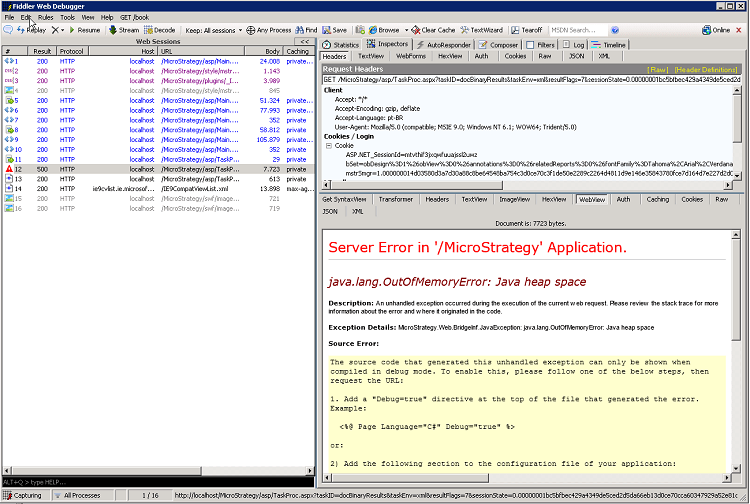
Server Error in '/Strategy' Application.
--------------------------------------------------------------------------------
java.lang.OutOfMemoryError: Java heap space
Description: An unhandled exception occurred during the execution of the current web request. Please review the stack trace for more information about the error and where it originated in the code.
Exception Details: Strategy.Web.BridgeInf.JavaException: java.lang.OutOfMemoryError: Java heap space
Source Error:
The source code that generated this unhandled exception can only be shown when compiled in debug mode. To enable this, please follow one of the below steps, then request the URL:
1. Add a "Debug=true" directive at the top of the file that generated the error. Example:
<%@ Page Language="C#" Debug="true" %>
or:
2) Add the following section to the configuration file of your application:
<configuration>
<system.web>
<compilation debug="true"/>
</system.web>
</configuration>
Note that this second technique will cause all files within a given application to be compiled in debug mode. The first technique will cause only that particular file to be compiled in debug mode.
Important: Running applications in debug mode does incur a memory/performance overhead. You should make sure that an application has debugging disabled before deploying into production scenario.
Stack Trace:

Strategy.Web.BridgeInf.BridgeInfUtils.HandleBridgedMethodException(BridgedMethodException bme, SystemServices sysSvcs) +316
Strategy.Web.BridgeInf.AbstractWebBridge.CallJBooleanMethod(Int32 classNdx, Int32 methodNdx, IList lstArgs, SystemServices sysSvcs) +562
Strategy.Web.Controller.AppController.ProcessRequest(IRequestState reqState) +200
Strategy.MSTRControls.MSTRControllerBase.ProcessUserRequest(IAppController oWebController, IAppGlobalContext oGlobalContext) +1891
Strategy.MSTRControls.MSTRGenericController.ProcessUserRequest(IAppController oWebController, IAppGlobalContext oGlobalContext) +28
Strategy.MSTRControls.ControllerHelper.ProcessUserRequest(IAppController oWebController, IAppGlobalContext oGlobalContext, IMSTRControllerBase oMSTRControllerBase, HttpServerUtility& Server, HttpRequest& Request, HttpResponse& Response) +60
Strategy.MSTRControls.GenericControllerPage.ProcessUserRequest(IAppController oWebController, IAppGlobalContext oGlobalContext) +191
System.Web.UI.Control.LoadRecursive() +71
System.Web.UI.Page.ProcessRequestMain(Boolean includeStagesBeforeAsyncPoint, Boolean includeStagesAfterAsyncPoint) +3064
--------------------------------------------------------------------------------
Version Information: Microsoft .NET Framework Version:4.0.30319; ASP.NET Version:4.0.30319.272
WARNING:
Modifying registry values incorrectly may cause serious, system-wide problems that may require the re-installation of Microsoft Windows NT. Any edit of the registry is done at the user's own risk. Since these are user-initiated changes, they are not covered by any Strategy warranty. If using Microsoft Windows NT, the user should backup the registry and/or update an Emergency Repair Disk (ERD) prior to alterations.
