Starting with the release of Strategy ONE (March 2024), dossiers are also known as dashboards.
Within a cluster, work fences allow an administrator to reserve specific nodes for use by certain users or workloads during normal operation. There are two types of fences:
However, User Fence is not always strict to the fence definition when other requirements are present, such as fail-over and session affinity. In these situations, user sessions will not go to the dedicated Intelligence Server as defined in the fence.
The following cases outline when User Fence does not abide by the fence definition.
Suppose you have a four node cluster environment, N1, N2, N3, and N4. A fence is defined to limit User A's session to N1. If N1 becomes inaccessible due a crash or shutdown, User A can still log in to one of the other three nodes instead of failing to login.
In Web and Library, User Fence only governs project sessions. Configuration sessions are not restricted by any fence.
To check your project's session type:

When User Affinity is enabled, User Fence will not take affect even when it is enabled. This is because, in Strategy 10.4 and above, User Affinity will overwrite User Fence.
For more information, see KB440136: The Relationship of User Affinity, User Fence, and Load Balance in Cluster Environment in MicroStrategy 10.4 and Above.
When you log in to Library from Web using seamless login, User Fencing will not work. For example, if you click Launch to view a dossier in Library after executing the dossier in Web.
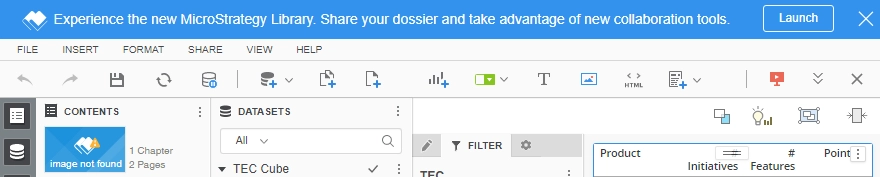
This issue has been addressed by the Strategy's Technology Team. Please upgrade to Strategy 2019 Update 2 to resolve this issue.
If you have an asymmetric cluster, and the user tries to run a dossier in a project that’s not loaded in a fenced node(s), the session will be created outside of the fence. In production planning, make sure you have those project(s) users need to access available on fence node(s).
When you connect Web or Library to Intelligence Server via TLS, User Fencing does not work as expected. This issue applies to Strategy 2021, and 2021 Update 1. It’s targeted to be resolved in Strategy 2021 Update 2.
For more information about user fencing, see the System Admin Guide.
KB40623: What is the User Affinity Cluster setting in the MicroStrategy Intelligence Server 9.x configuration?
KB6905: What does the 'Load Balance Factor' setting in the server property detail represent in the MicroStrategy Web 9.x and 10.x Administration page?
KB318757: New feature in MicroStrategy Secure Enterprise Platform 10.4: Work Fences
KB318755: How to configure work fences in MicroStrategy Secure Enterprise 10.4
